
Prologue
WOaaahhh!! Its 2026 already?!...i felt really old now. The last article i posted on this website was on 2024 on exact month, some goes to my other websites. Don't worry i didn't spaced out just because i'm old but i am nearing 50's , its just that everyday my time are packed with activities. So packed there's almost no room to slot time to enjoy my usual: 3D modeling, RC hobby, drone building thingy, reviews and automobile design (4x4 Evo)....gosh! i totally forgot that "TORX ED 36.0 XL-ATX" truck. So right now i wanted to say sorry/apologize for site visitor/fans waiting so long for updates and downloads as the site almost stagnant for 2 years (hey! i did updated the galleries, Twitter and Youtube). So what happened?....blame that on VR (Virtual Reality). This VR thing has become my 98% substitute for all my FPV craving activities and almost steam rolled my outdoor activities into oblivion....kept me staying indoors and stay "in the MATRIX" everyday..yes! i didn't miss VR leg day since day one. In one word: "VR = Adventure in other world".
About
I remember i did my article about this very same topic in year 2021 but back then my VR was running on poor man's cappy hardwares (GTX1050), didn't elaborate more details how i set things up. Now after 5 years my VR rig has evolved into advance and more immersive setup. Let's start from the begining again how it all started. Here we goooo!! ....(Re-cap from last 2021 article but better).
Exactly 5 year ago on this exact month of August things changes for the better me, it was the moment that i can say it was (and now) the best hobby VR Project i invested with zero regrets regardless the cost because in return i gained an amazing "immersive" experience peaked above my FPV hobbies. Costly project but its a one time/one off thing once its get running... i can live with cups of noodle for months just to get this VR activities grow. First; its it started with OCULUS QUEST 2 VR headset (now known as META QUEST by FACEBOOK) in year 2021. I had this because i need to 'physically pump up' for indoor activities via VR and experienced it for the first time starting with table tennis game titles, because at that year (2020) 'COVID-19' pandemic was swept around the globe and people confined indoors..so unlucky boring times need some indoor activity to cheer me up - 'face mask trend was still a thing' and socially sucks!. My first VR experience was hit me with "WOWW!!! ..where the F^#k am i?! i'm in the MATRIX!...i am in other world!" .....i slapped myself in the face and said to myself 'Why didn't i try buy real VR headset years before?'. I did but that was somewhere in 2015 using DIY poor man's/gettho cardboard box VR using smartphone as screen through TRINUS VR software..it was "meh!" experience and i never came back for it. The only way for me feel partially on a VR like experience is through FPV (First Person View) flight and driving which i started DIY build and install those wireless camera into RC planes and cars/trucks and off i go into remote places exploring local places which you've seen my FPV projects in this website. Unfortunately viewing experience on FPV headset is like watching rectangular TV inside a small box even though it does looked like as binocular lens. However FPV technology not even close to what true VR headset can offer you with 'immersive' 360 degree view that makes you feel "Where the heck am i?...did i get reincarnated?"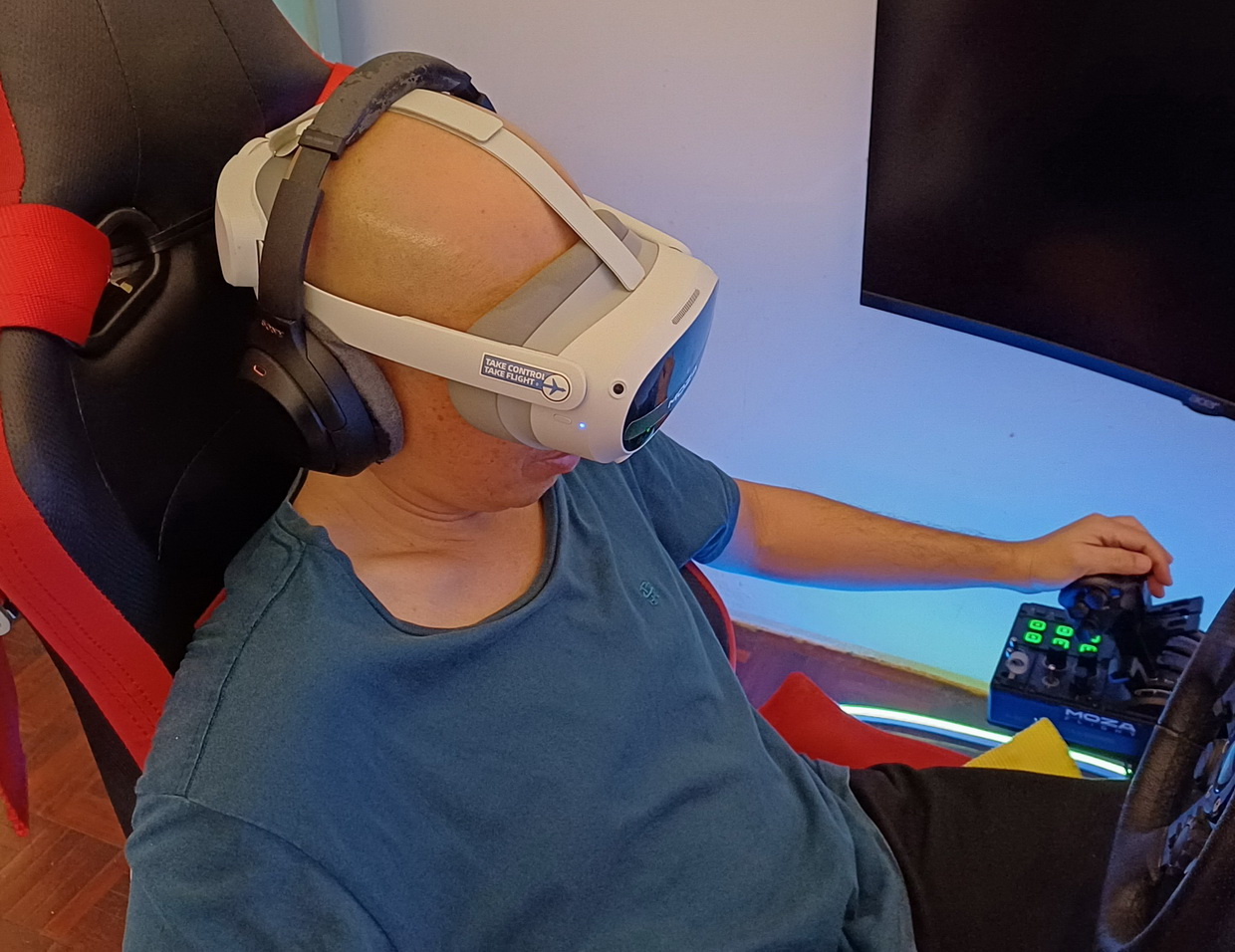
So back to my QUEST 2 VR headset story; i tried the standalone VR games that runs inside my headset and i've played Eleven Table Tennis, Space Space Pirate Trainer and others, yes it was 'Wow!' experience and immersive, my whole body is interacting like i was there. Graphic rendering was acceptable for android phone level processing power. So i got curious; why not i hook this VR headset to my PC and see what's up (its called PC-VR setup). Takes days to learn how to setup a PC-VR thing and had to buy essential hardware like proper high performance WIFI 6 router to bridge connection between my VR headset and PC. I connected on my weak ASUS TUF 2016 gaming notebook that has only GTX1050 gpu but by using 'VR Performance Toolkit' i manage to get VR running on my headset at reasonable FPS count with graphics kept to extremely minimum setting. Then when i played pc racing game "ASSETTO CORSA" in VR i was literally blow away!!!!....way way blown away by the immersive driving and racing experience. The first word came into my mind "I'M INSIDE A CAR!!!!"....felt so real!! I am in there!! Without VR it just driving a car through square windows = its called "Video Game". But when in VR = its called "LIVING IN IT". Even with my janky GTX1050 gpu graphic i felt so real to be in there, i can enjoy the immersive view car interior in 360, bath in the sunlights from the horizon and walk around in 3D space (something you can't do on flat screen as if i was there in real life. Jeeeze!!..this is freaking amazing.! So the next day i bought LOGITECH G923 steering wheelset + pedal and off i go racing whole day. Next i installed EURO TRUCK SIMULATOR 2 (ETS 2) and heck i have the best touring around Europe continent inside a truck. It made me thinking; it nice to drive/racing around my FPV car/trucks around the park.....but VR driving/racing is 100x better and immersive!! A week later i bought a new PC that runs on RTX3060 gpu and i'm in heaven with those realistic VR environment renders!! Bought X-PLANE 11/12 and MICROSOFT FLIGHT SIMULATOR. ..... and so the journey of old man into realm of lucid VR dream has began. *Some where on weekend at RC air field...."Hey! Where David at?...have seen him for ages!". 5 years later i went into "GOD mode" on my VR eco system...yeah! i burned my wallet a lot but still cheaper when i consider that this is a long term investment for mental health, happiness, curiosity and most importantly being adventurous in another 'Digital World!'
Currently here are the list of active PC-VR simulator titles that i enjoy everyday which reflect my hobby as RC/FPV aircraft and car/truck enthusiast:
-
Microsoft Flight Simulator 2020/2024 (A lot of beautiful places to discover and hidden treasure of earth!)
-
X-Plane 11/12 (Some serious flying right there.)
-
Euro Truck Simulator (ETS 2) (Europe is huge!!)
-
Assetto Corsa (I drive lots of JDM cars.)
-
Assetto Corsa Competizione (Great if you enjoy real GT series racing.)
These above are my daily VR simming but i will mentioned more about them how they performed on every PC-VR system i used over the year below the page.
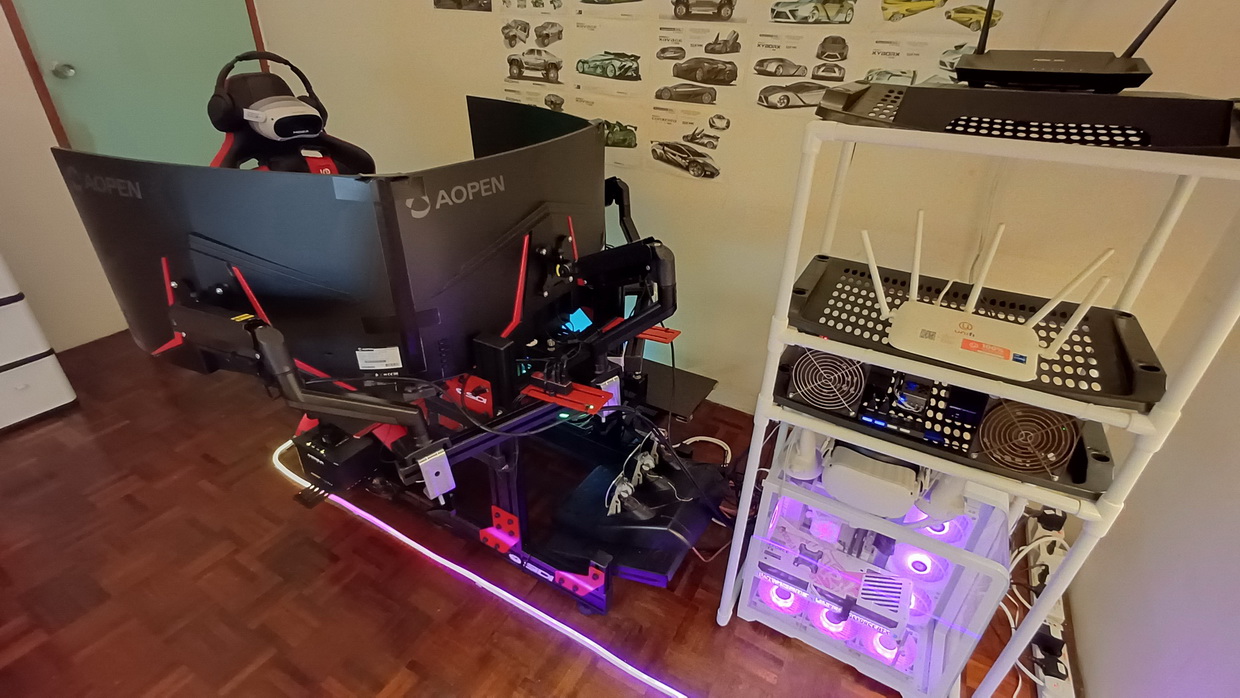
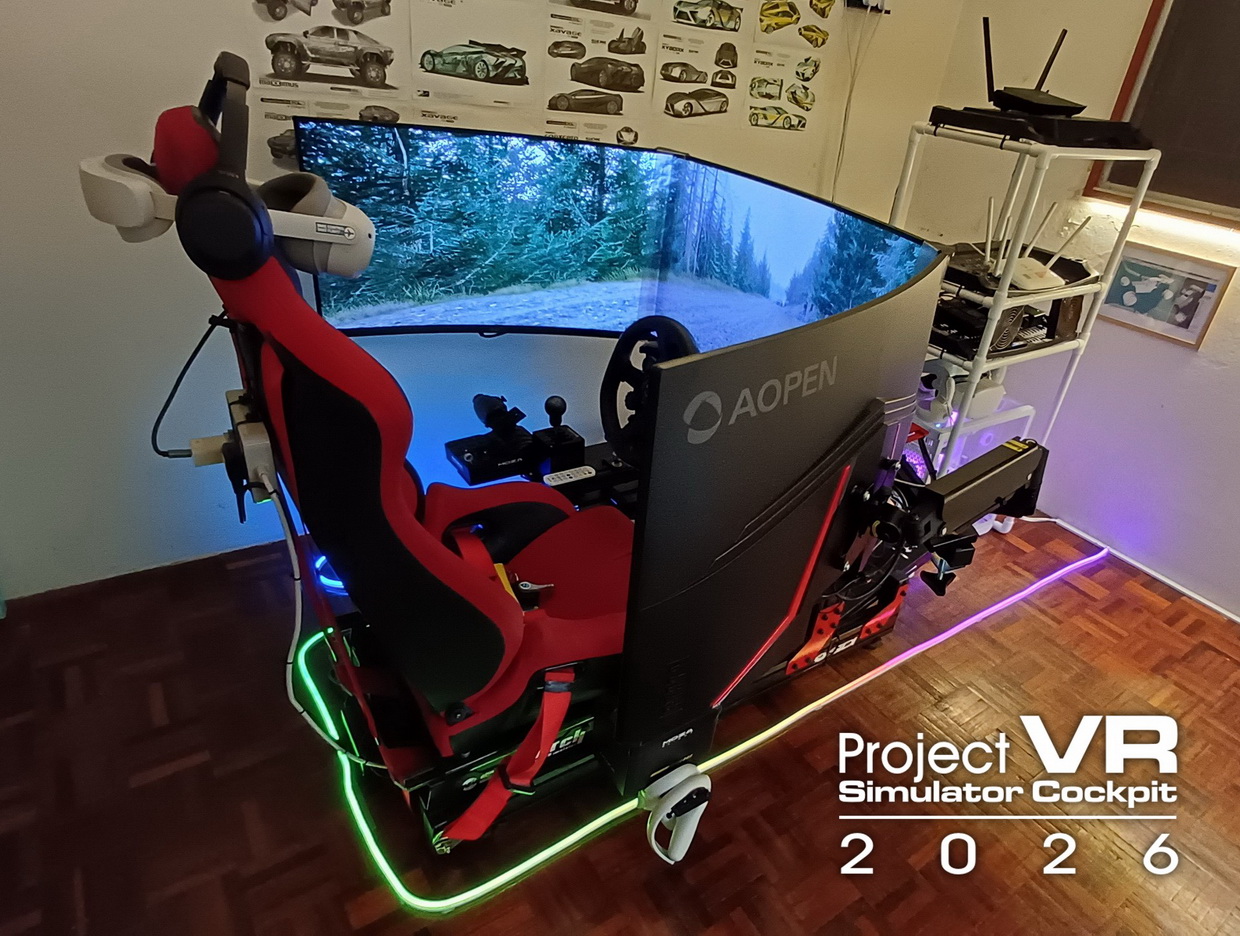
Project 2026: The VR Simulator cockpit (5 years later)
Seeing the potential of VR and knowing this will be my long term hobby i'll put all my sweat and money into. But Why?. As i get old and frail like my peers who struggle at older age being outdoor at RC air field dying under the hot sun i wanted to start early going into VR. It is the only activities which requires minimal physical works, less move about outdoors under the sun and still able to explore "2nd world" for those who enjoy flying and driving which is the reason why i/we enjoy playing RC planes, helicopter, car and trucks and this is also an 'Ultimate' experience for FPV enthusiasts like myself to be inside this vehicle cockpit and explore the world! Driving and flying in VR is a phenomenal life time experience especially when it done right with proper PC system with good graphics. So i can't cut corners on my build else will be disappointed for the rest of my life.
Since i like to be inside the cockpit of an aircraft and automobile i need to build a proper simulator rig with seat and place holders for steering, pedals, joystick, gear shifter and etc, this is a crucial base support for holding all my gears and should last for decades. As usual like many project i did before i'll try to stay within budget by doing few DIY's on some part of the build to stay frugal...not a rich man still work from 8am~5pm though (Typical Asian salary man hahaha!). But throughout my build i learn few lesson: If you know you're going to enjoy this hobby for extended amount of time lets say beyond 5~10 years always spend on quality hardware to give you peak 'experience' that you wanted than half-bake experience which you ended having paying twice for your mistake....yes it happened, i when through many build just to get things right (lots of $$$$ flew off). Good thing my friend own a pc gaming workshop = bargain bin price hehehe!.
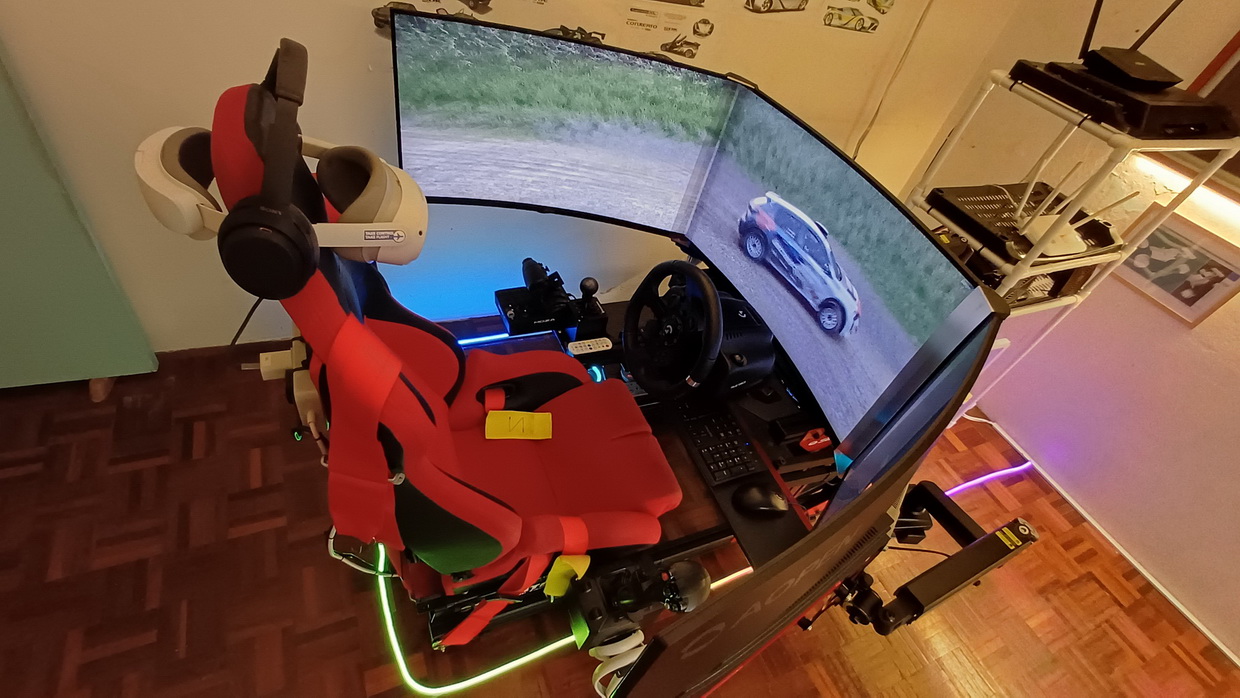
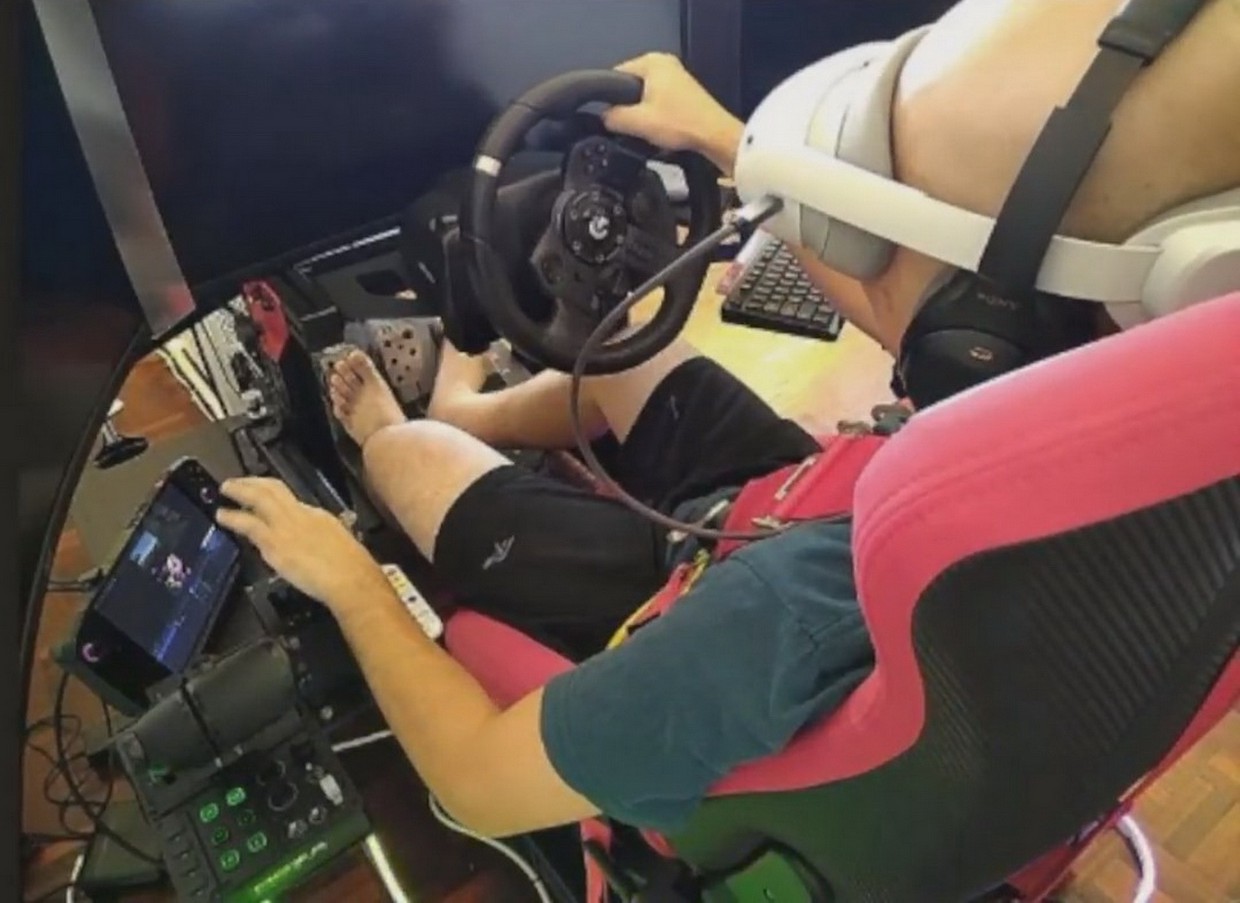
I have my moments where i'm buying cheap input hardware like LOGITECH EXTREME 3D PRO as flight stick but causes me so much problem like stick drift, worn out sensor, throtte slide not so ergonomic and felt like flying dead plane with no feedback. Then i spent on proper 'pilot level' quality joystick combo like MOZA HOTAS system with AB6 force feedback so i can feel the aileron/elevator weight, air turbulance, g-force, landing shocks and etc combine with MOZA MTQ THROTTLE QUADRANT now i feel like a pilot..."I can feel the plane!!". Its day and night differences compare to my old stick. Of course my another newbies mistake was my first LOGITECH G923 steering wheel because its mechanically klunky feeling and potentio sensor on the pedal degrade over time.... not to worry i already have LOGITECH RS50 DD and pedals ready in box (just need to wait for clutch pedal module). Yes this "human input" device is a bit costly for average user but if you're a hobbyist level then why not. If you still able to work and earn money the money will grow but our age will deteriorate overtime...so spent something good while we still alive to gain the experience we want.
So lets discussion how i build my VR rig and things connected. It will be divided into 2x section which also include sub list:
A. THE SIMULATOR RIG ..things that attached to the rig.
B. PC-VR ECO SYSTEM ..how VR system connected and system required to run.
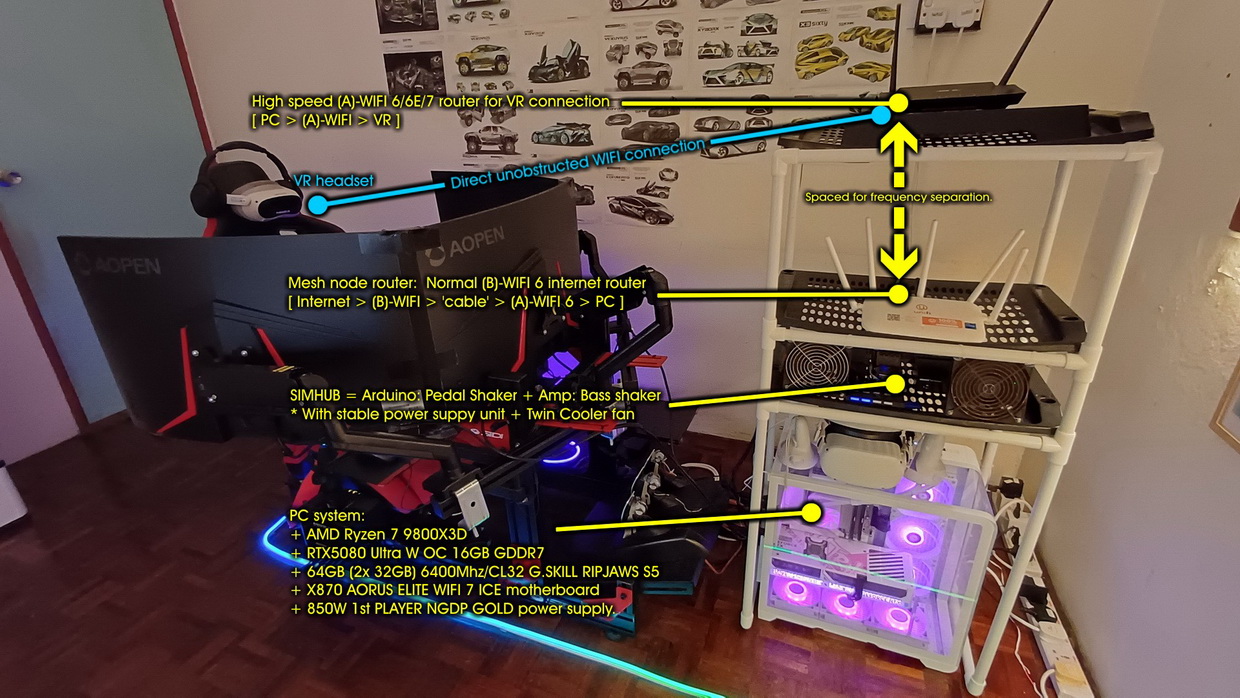
A. THE SIMULATOR RIG
Below are list of vital component to build my 'immersive' VR cockpit arranged according to priority (From High to Low). Immersive?.....the rig ia alive and breathing through haptics and stuff:
-
ALUMINUM RIG + SEAT
First day on driving on VR on the table, was not good experience!...it just throw my immersion down the drain completely. I don't feel like in the car/truck or plane if you're sitting upright on room chair and every furniture started move around once you hit the input device hard with your legs and arm. The feel of driving is awkward; when you press the pedal especially braking you fell backwards because the chair is moving and if you swing the steering around the whole table moving especially if you have lots of FFB torque on the steering wheel. Seated body posture also painful because you're on desk heightaka working in the office position. If you driving and flight sim whole day those body posture will give you muscle ache and the immersion is broken. A week VR on table and normal room chain started to feel discomfort and struggle to reach all my input control: steering, joystick and pedals. Which is why i decided to buy myself a 'true' simulator rig as my long term VR cockpit setup. After much research i picked up a 70kg Aluminum 4040/80 Profile Simulator rig...take more than a month to ship to my home but it was all worth it. Cost me around USD$500.. expensive but since i'm going to use it everyday for the next over 10 years its worth the investment. This sim rig structure will outlive any evolving technology over years so it like investing a house that will not degrade and be useful for years to come.
What does the number 4040/80 (4080) means? For 4040 refers to a size of T-slot aluminum extrusion profile measuring 40mm×40mm, same goes to 4080 = 40mmx80mm. Its a modular metal building block used to construct strong, custom, and adjustable frames for cockpits, wheel decks, and pedal mounts. For serious sim enthusiast looking for long term growth in this hobby it offer unlimited amount of modification for user/driver/pilot ergonomic seating position, unlimited upgrades, external add-on and mount anything you want with a simple DIY parts from normal hardware shops.....good news for me next to my office was that very DIY hardware store.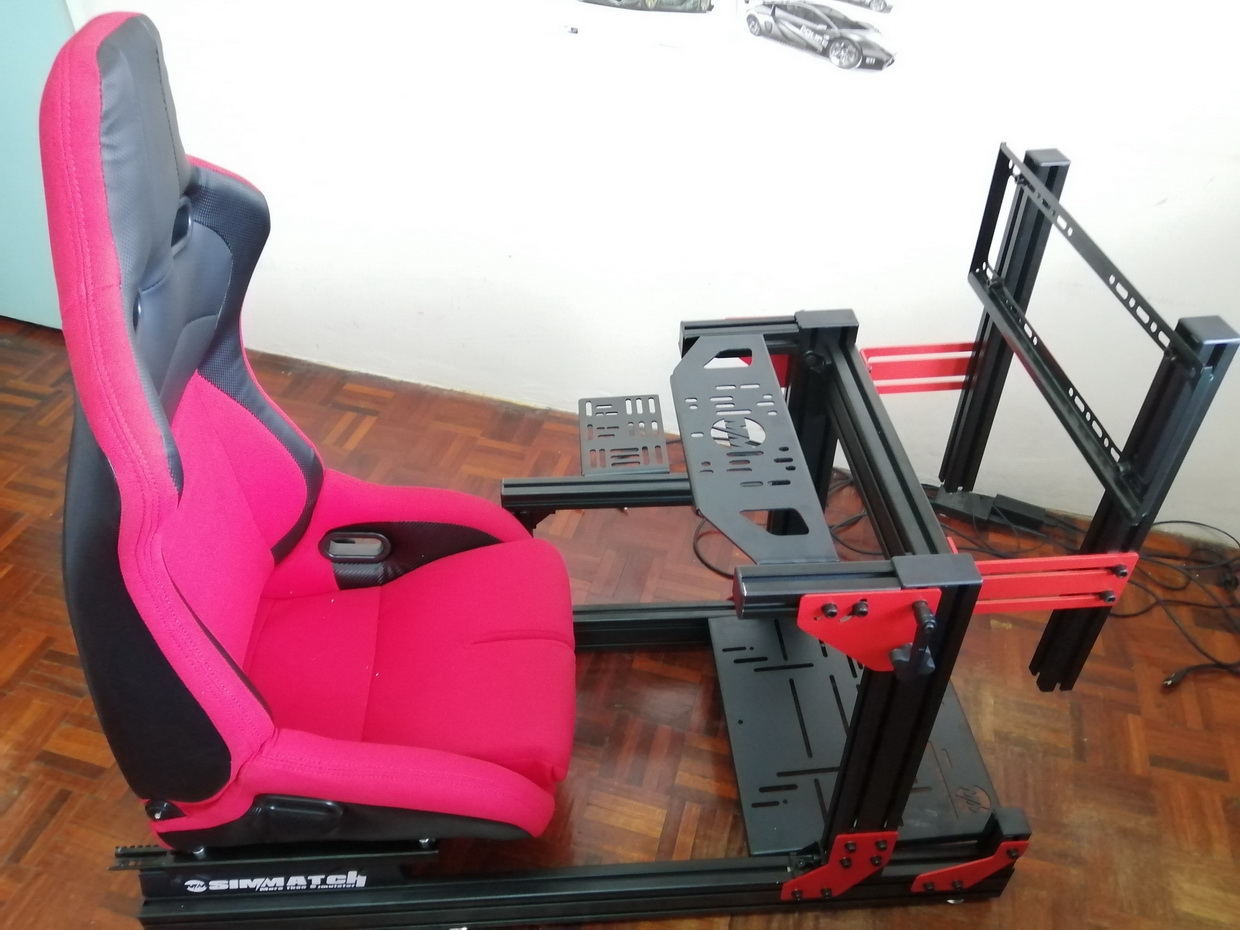
Below are list why this 4040/4080 best for long term use especially for my use case:
+ Absolute Rigidity (Zero Flex)
The number one job of a sim rig is to handle heavy forces without moving.The Wheel: High-end Direct Drive wheelbases output massive torque. If your rig flexes, that force gets absorbed by the metal bending rather than transferring into your hands, causing you to lose crucial force feedback detail.The Pedals: Load-cell and hydraulic brake pedals measure the pressure you apply rather than the distance the pedal travels. Pressing a stiff brake with 50-100 kg of force will cause cheap pedal plates to bend. An aluminum profile rig provides a rock-solid foundation, which directly translates to more consistent braking and faster lap times.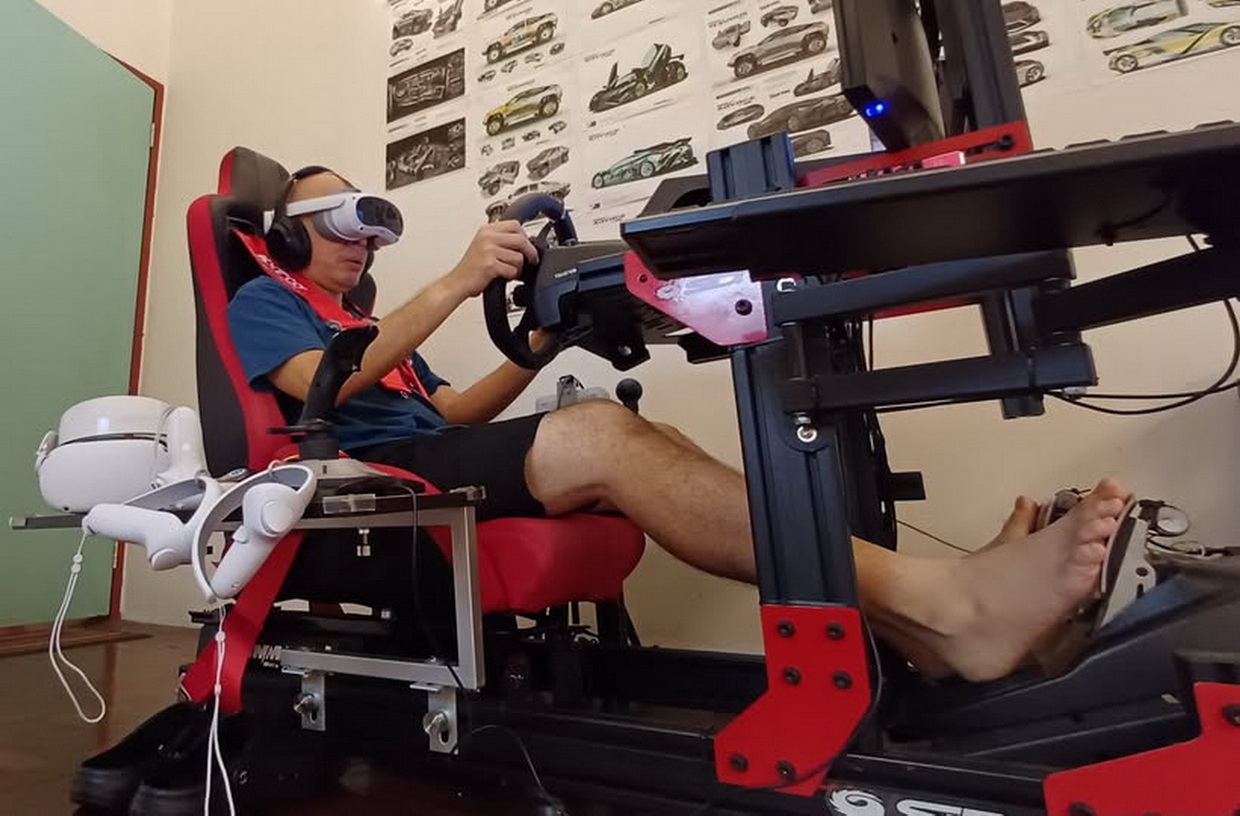
+ Infinite Adjustability
Aluminum extrusion is basically industrial-grade Lego for adults. Because the profiles have continuous T-slots running down their length, you aren't restricted to pre-drilled holes. You can slide your seat, pedals, and steering wheel to the exact millimeter to perfectly match your body size and preferred driving posture (like an upright GT position or a reclined F1 style). If it doesn't feel right, you just loosen a bolt, slide the piece, and tighten it back down. Damn! it mount my triple monitor easily! Now its a beast of a gaming rig!!
+ Future-Proof Modularity
With a tubular steel rig, you are often stuck with the mounting plates the manufacturer gives you. With an aluminum profile rig, you can bolt literally anything to it at any time. Want to add a handbrake, an H-pattern shifter, a button box or a keyboard tray? Just buy a T-nut, drop it into the slot, and bolt your accessory on. You can even upgrade these rigs over time to support heavy motion platforms or tactile transducers (bass shakers) = which currently i used now via DIY mods.
After 5 year using my aluminum 4040/80 profile rig i must say that was the best one time purchase i made for my hobby. If you observe collection of my photos inside my gallery about how my sim rig evolve of the years you can understand why choosing the right sim rig would lead to amazing growth in your sim hobby. From simple humble setup to advance looking professional VR cockpit i have all the gears to run my sim racing and flight sim ready to go with all my add-on and DIY upgrade bolt on without the hassle. Life is good!! Best of all the 'proper' ergonomic seating layout comfort on the rig allow me to drive and fly in VR for hours without a problem. My best playtime in a single session was 12 hours during holidays usually on ETS2 (Euro Truck Simulator 2) and Microsoft Flight Simulator 2020/2024 series. Now i'm flexing my 'gaming ego' with triple screen setup, lol!...(**okay i got 3x monitor at bargain bin price..but its nice to show off though..hahaha!). So choose your rig wisely.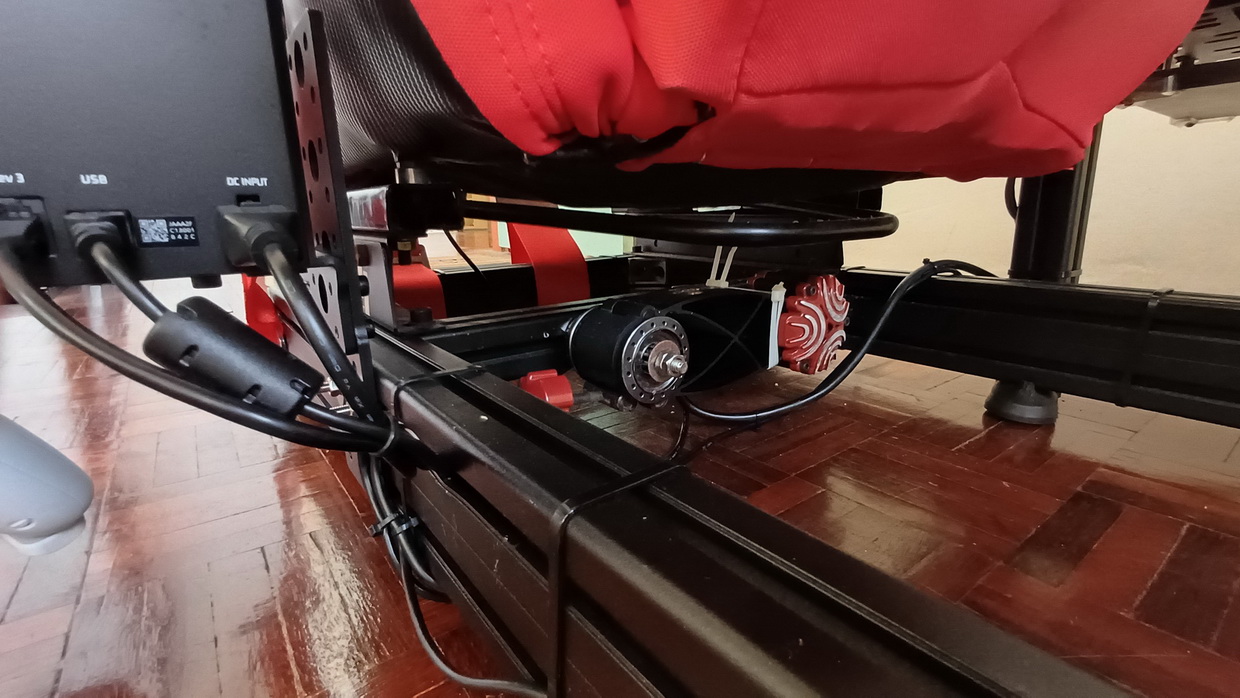
-
TACTILE FEEDBACK (HAPTICS)
Now we are reached to an interesting topics: the components which keeps me immerse in VR. Without this i won't be enjoying the simulator. For me "No Haptics = No VR"..that's my sim rule book. The tactile feedback or known as haptic is the shaker or vibration mechanism which give this 'bbbrrrr', 'thump!', 'bump!' or feeling you hit something sensation under your skin just like how you feel when you drive a car on gravel road, hitting bumps or when you start a car engine you can feel the engine vibration...feels freaking amazing when you drive a rally car!. Couple that with VR experience and you have ultimate immersion as if you drive or flying a real thing because you now can feel how the outside environment interact with your body.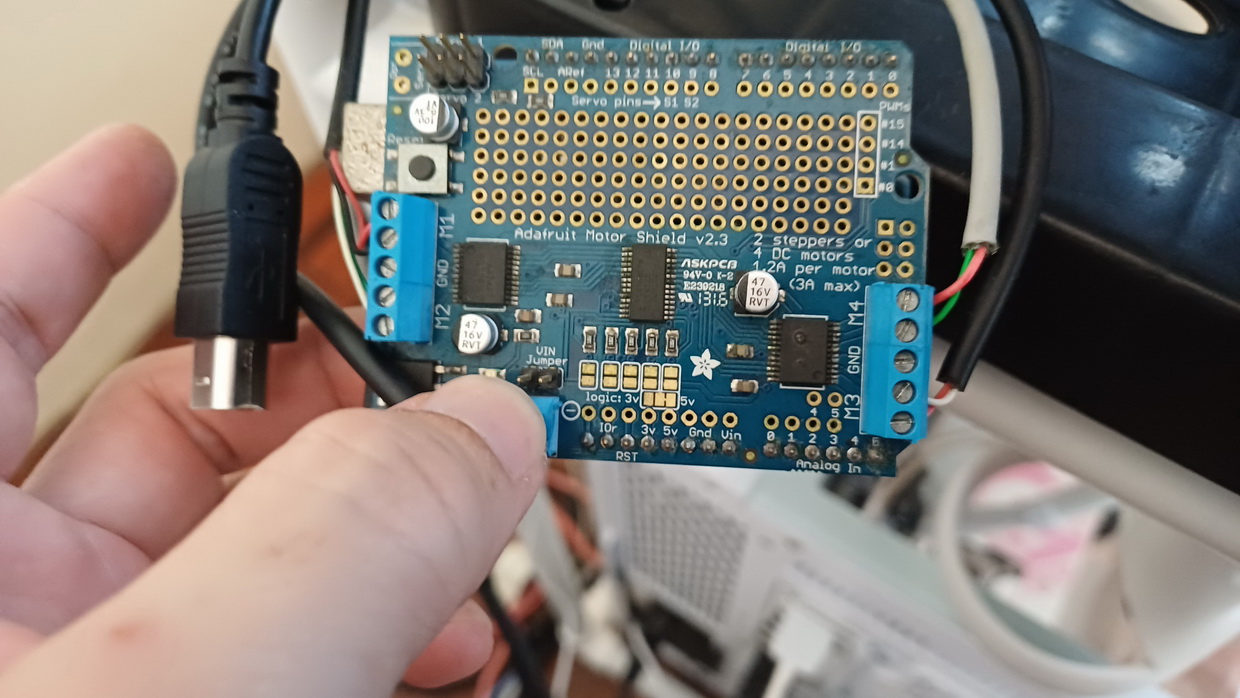
For his feature to work i used "SIMHUB": https://www.simhubdash.com
What SIMHUB sofware do is it takes raw telemetry data from the racing and flight game (like engine RPM, suspension travel, tire slip, wind turbulent, G-force, landing gears vibration, propeller vibration and etc) and translates it into physical vibrations you can feel. SIMHUB feature lots of function but i only use 2x most essential ones as show below:
A. Bass Shakers (Tactile Transducers)
A bass shaker is a large, heavy audio device that functions like a subwoofer, but instead of a cone that pushes air to make sound, it has a weighted piston that shakes whatever it is bolted to. They are usually mounted under your seat or to the corners of your aluminum rig. SimHub sends low-frequency audio signals to an amplifier, which then powers the shaker. Because these are large and powerful, they are used for structural, "whole car" sensations:Engine RPM: You feel the deep rumble of the engine idling and climbing through the revs right in your lower back.
Road Texture: You feel the bumps of the track surface and the harsh rattle of riding over a painted curb.
Gear Shifts: You get a solid "thump" under your seat every time you pull the paddle shifter.
Suspension Impacts: If you bottom out the car or hit a wall, the shaker delivers a heavy jolt.
* Below are the picture of schematic how the Bass Shaker is setup on my rig: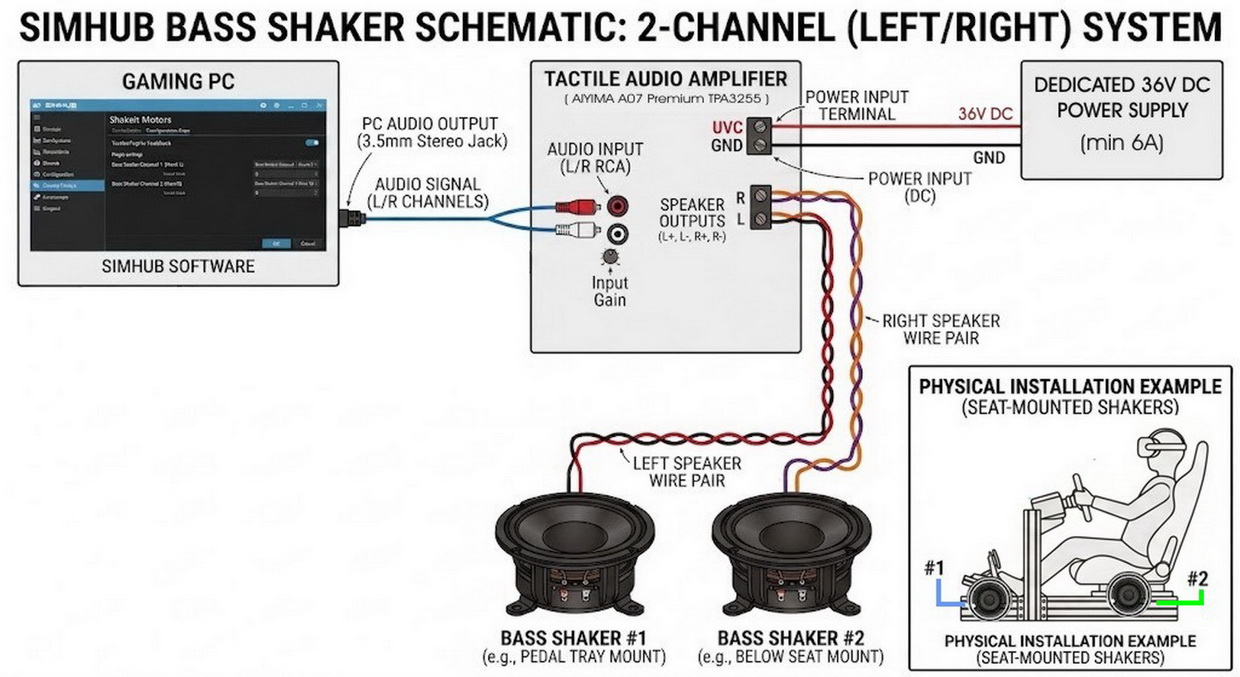
What hardware do i need?:
There's two ways add this:
(A) You can buy off the shelf "Buttkicker Gamer" system which is very expensive around USD$270 (approx) but i bought mine from Facebook Marketplace in used condition for USD$172 with Amp + 1x haptics...or.
(B) DIY yourself a bass shaker for less than USD$80 complete front and back shaky stuff (1x quality amp + 2x haptics) which produce more refine haptics frequency than "Buttkicker Gamer" via SIMHUB software.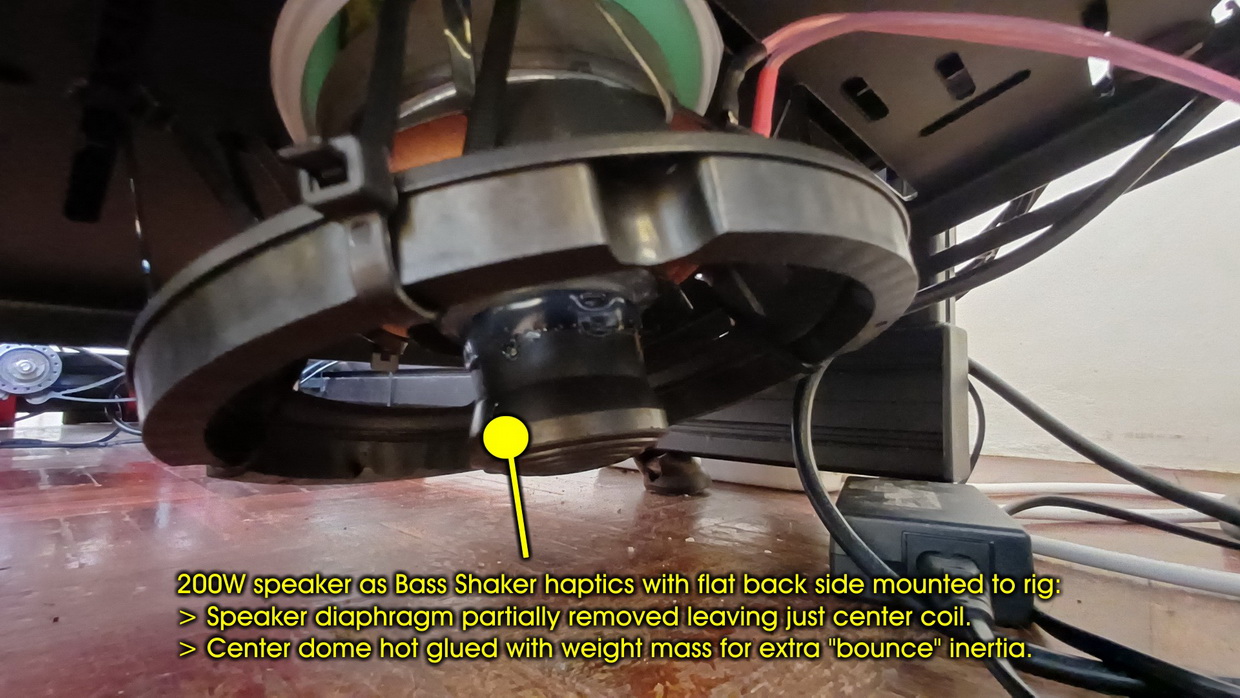
I have both setup; Buttkicker Gamer amp failed after 2 year use which is well known if you search around internet but the haptic is ok but not as good as DIY solution. After search around i decided to use "AIYIMA A07 Premium TPA3255 Power Amplifier 300Wx2" as amp replacement, it could support 2x speaker/haptics output at 200W. Surprise after using it the "AIYIMA A07 Premium TPA3255" provide more stable, powerful yet detailed haptics frequency than BK2 amp for less price. Since i have extra port i decided to add another DIY haptics using 200w speaker and add weight to the center of the speaker diaphragm (few chunk diaphragm removed) of then on SIMHUB software assign a sound port where not used by Windows PC game/media sound to avoid sending sound/music/media audio but instead just SIMHUB bass signal only. Again surprise! surprise! that DIY speaker haptics performed far better with strong "thump!" and refined shaker feeling that Buttkicker haptics! So BK2 haptics are located below my seat while the DIY speaker bass was place below the feet tray where the pedals are that assign to road terrain bumps, gear clunk, slips and other stuff...something with strong frequency thumps! and bumps! In short if i we're you just got for DIY haptics = you'll get more quality haptics than commercial ones.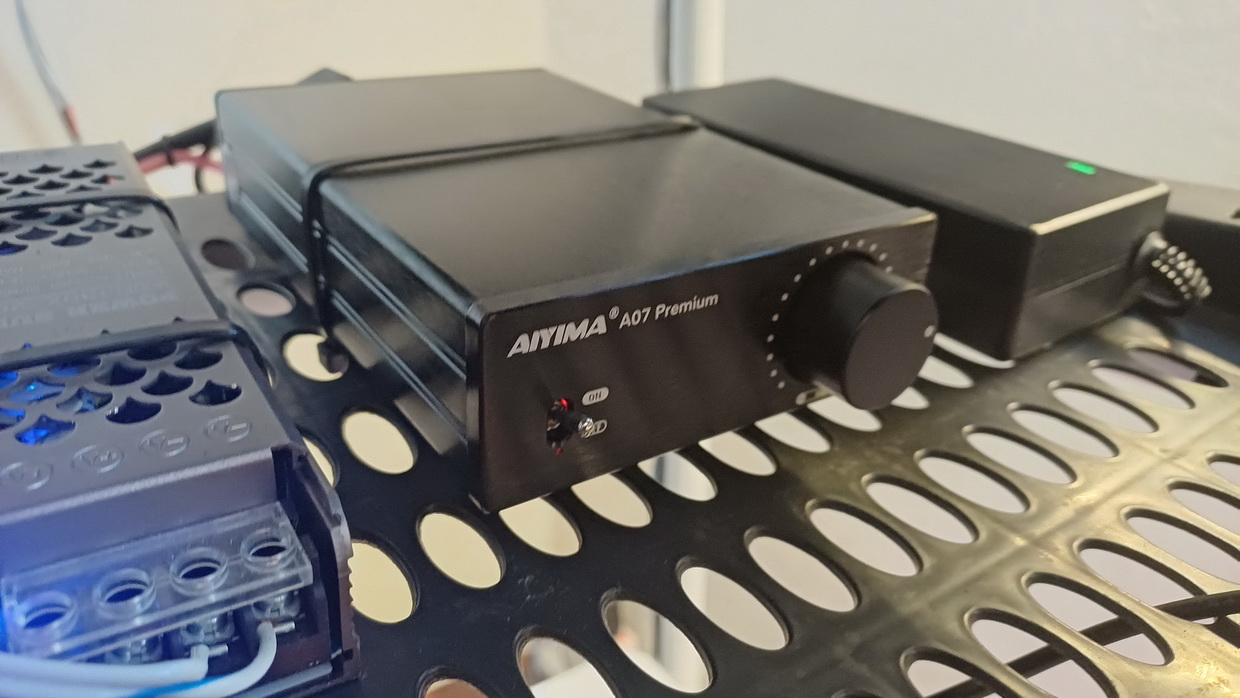
*Pro tips: if you do go for "AIYIMA A07 Premium TPA3255 Power Amplifier 300Wx2" make sure you use "Aiyima DC 36V 6A Amplifier Power Adapter" to avoid amp from overheating.
Software download: https://www.simhubdash.com
Setup tutorial: https://github.com/SHWotever/SimHub/wiki/ShakeIt-V3-Bass-Shakers---Audio-Output-Configuration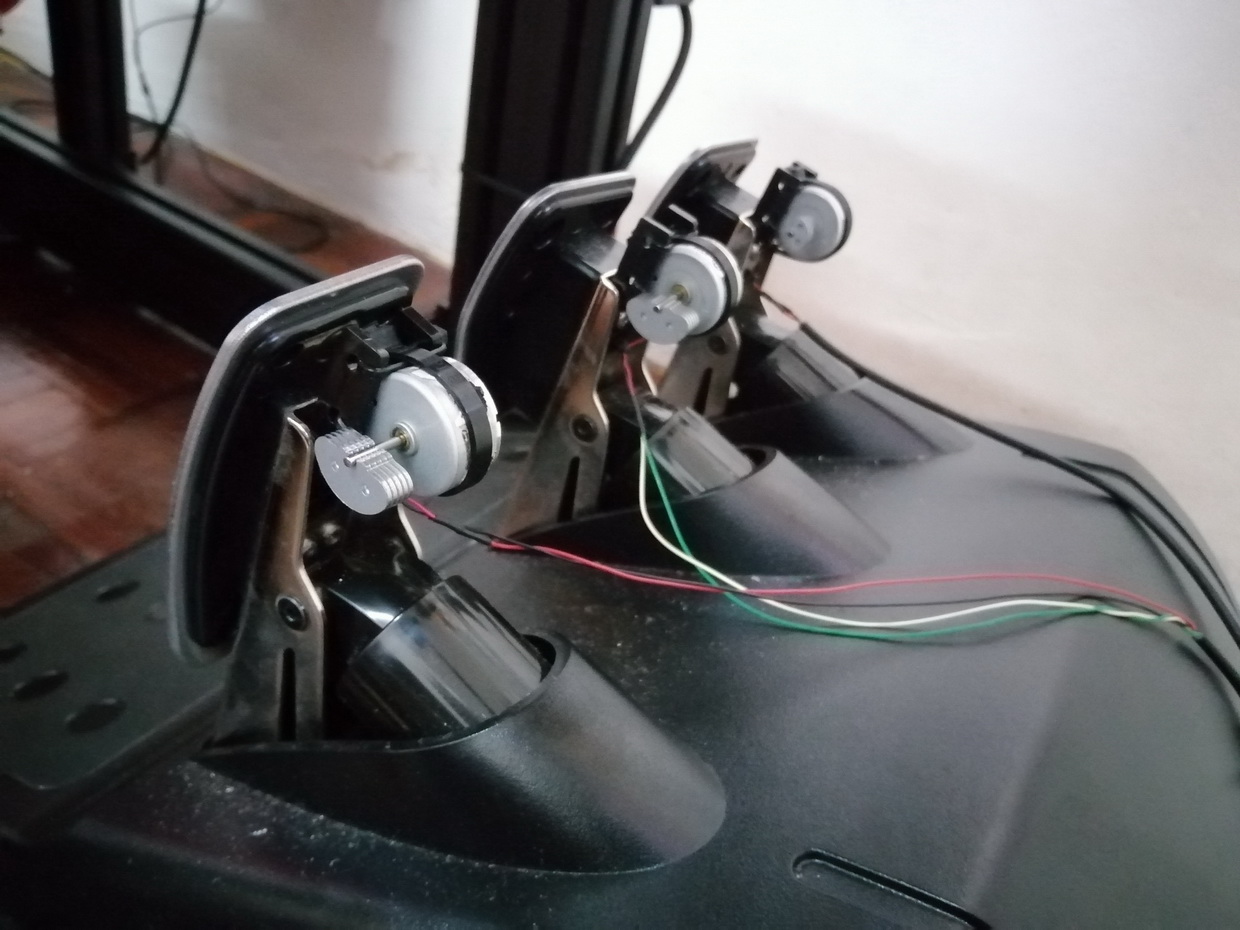
B. Pedal Shakers (Haptic Motors)
Pedal shakers are much smaller. They are typically small rumble motors (similar to what is inside an Xbox controller) or mini-exciters mounted directly to the back of your brake and throttle pedals. Because they are small and targeted directly at your feet, SimHub uses them for highly specific, critical driving cues rather than general immersion:
Brake Pedal (ABS): This is the most common use. When you brake too hard and the tires lock up (triggering the Anti-lock Braking System), SimHub pulses the brake pedal shaker. This tells your foot exactly when to ease off the brake pressure, just like in a real car.
Throttle Pedal (Traction Control / Wheel Slip): When you apply too much gas coming out of a corner and the rear tires start to spin, the throttle pedal will vibrate, warning you to lift off the gas before you spin out.Engine RPM, Suspension Impacts, Road Texture and Bumps: You can also apply the same effect what bass shaker does.
* Below are the picture of schematic how the Pedal Shaker is setup on my rig: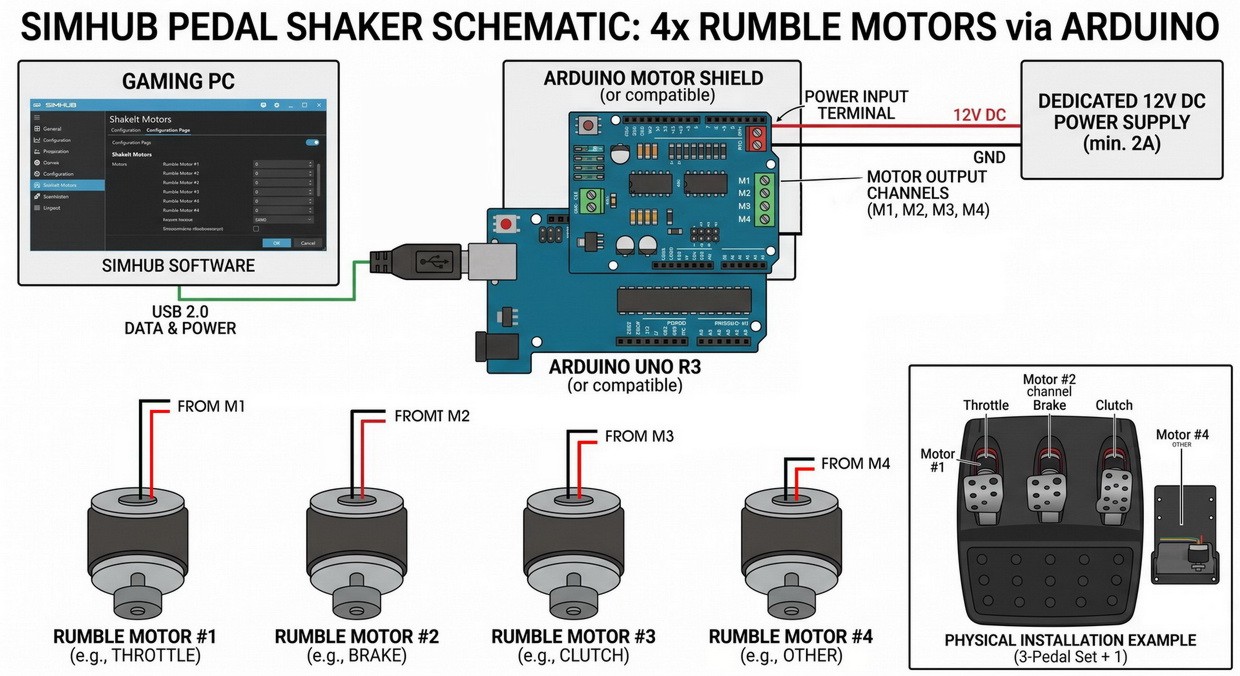
What hardware do i need?:
For this i made a through DIY unit:
> UNO R3 Atmel ATMEGA328P + 12V 3A AC to DC Power Supply
> Adafruit Motor/Stepper/Servo Shield for Arduino v2
> 4x rumble motor (same rumble motor found on Xbox/Playstation controller). Motor placed on throttle/brake/clutch pedal + under the H-gear shift.Software download: https://www.simhubdash.com
Video: My Pedal Shaker in action.
Setup tutorial: https://github.com/SHWotever/SimHub/wiki/Arduino-Shake-
Question: Why not using 2/3/4/6 DOF?
A 2/3/4/6 DOF (Degrees of Freedom) motion rig is a simulator platform that moves in four distinct directions or axes that attached to simulator rig. Yes it cool to have it but unfortunately its extremely expensive for this time...i could use that money for a new car or RTX5090! I've tried one time a 4 DOF system at gaming center which was fun but it was missing a small crucial element that cannot easily replicate by DOF system on hydraulic actuator; that is the engine vibration, gear klunk when shifting, small gravel feeling, aero plane prop rotation start and other small details that only vibration system can do than what a DOF hydraulic system can do. So even with cheapy bass shaker + pedal shaker haptics via SIMHUB setup can easily give more immersion than a DOF system....so you're not missing out anything with a simple DIY haptics setup.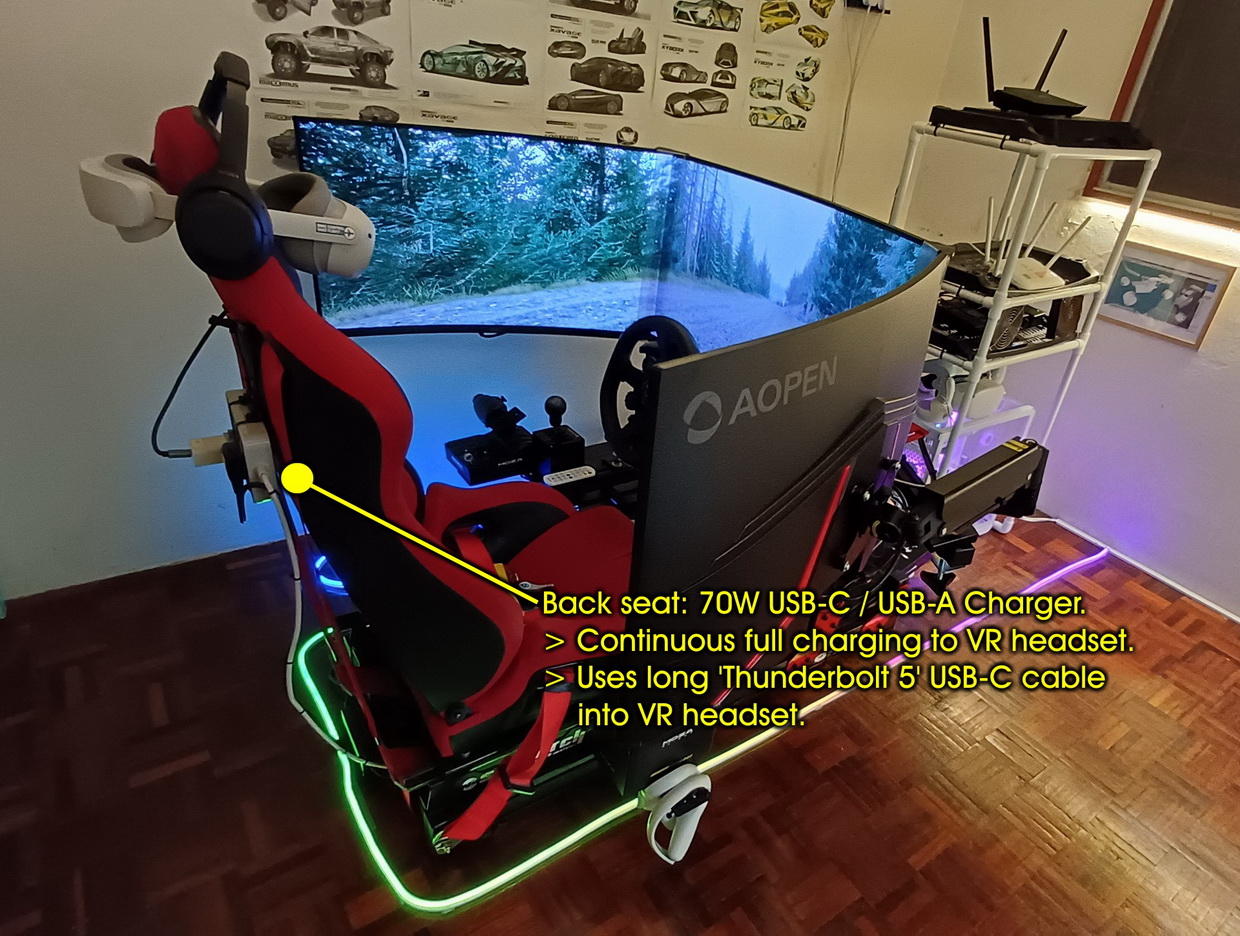
-
POWER MANAGEMENT
Around my sim rig there are dozen of powercord slots depending how may input hardware, monitor, haptics system and charging port needed. For VR headset to thrive beyond 1 to 12 hours of simulator session you'll need a USB-C charger port rated at 30W or 65W charging current going into the power hungry VR headset. Anything below 30W you will see steady decline of power in your headset over few hours of use. Make sure that USB-C cable rated to be able handle that amount of watt and long enough for you to be able to move your headset around without being tug. Currently i'm using 70W to power my VR headset QUEST 2/ PICO 4 for long sim session, the charger supplied with the VR headset died long time ago.
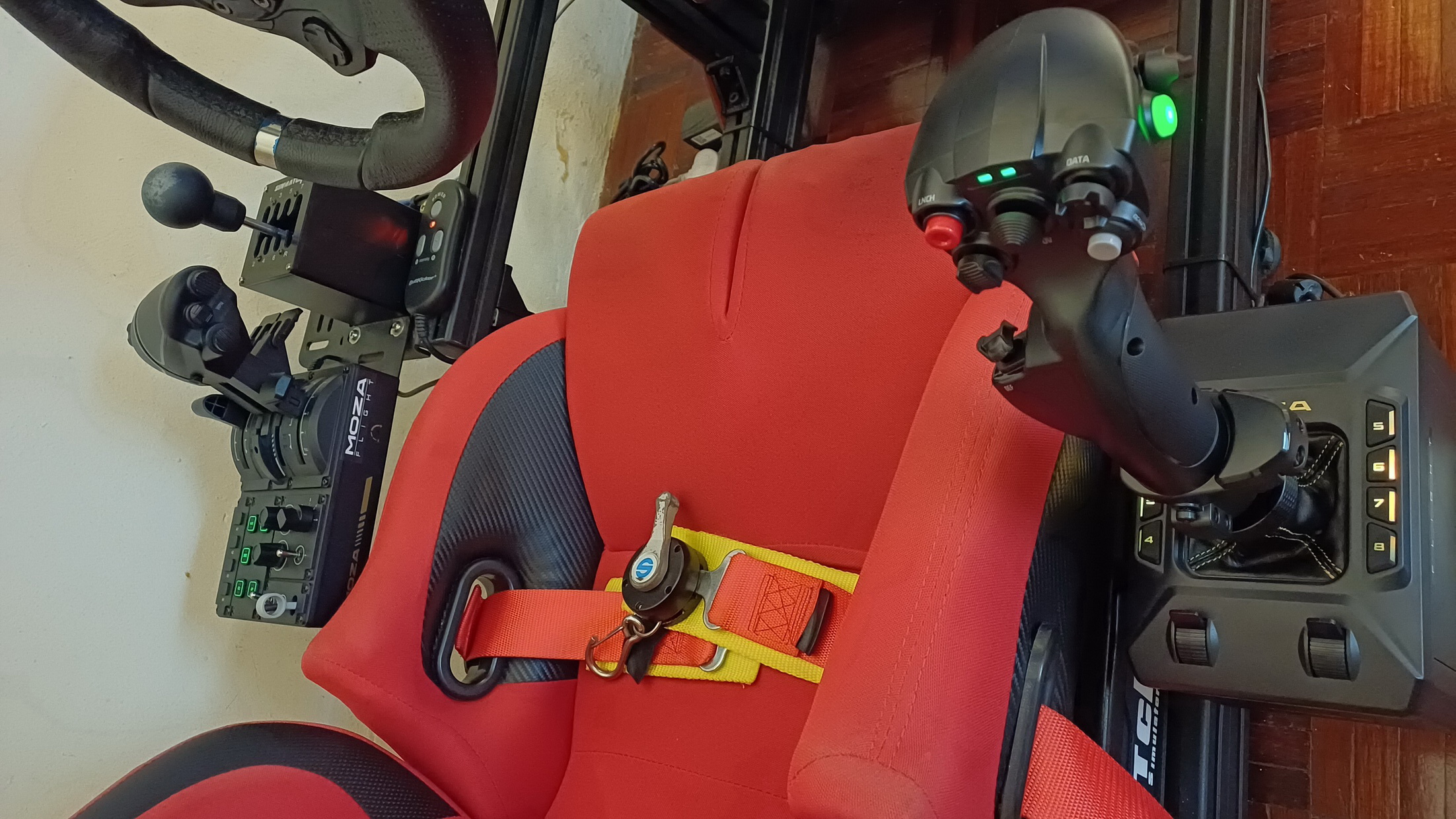
- FLIGHT HOTAS + DRIVING INPUT
You can use any input devices you want or already at hand inside and simulator. But if you have the budget and go for long term immersive VR experience then buy any input devices that provide FFB (Force Feed Back) will make you feel alive and one with the vehicle inside the sim. But do take note: If you build a new pc intended for simulator and you know you're going to hook up many input devices from flights HOTAS (Joystick + Throttle Quadrant + Rudder pedal) , steering wheel, pedals, gear shifter, hand brake and basic IO like the mouse + keyboard make sure to buy quality performance motherboard because a good 'quality' motherboard have a USB port that can provided constant amount of current amp and 5V pump to the IO external devices without glitching (USB disconnected effect at random times if insufficient current) which is why quality gaming motherboards cave lots of capacitor component on boards to store buffer of current to external devices. So if you go all out on lots of USB devices don't cheap out on motherboard....i had my days with it.
My current setup for controllers:
> Flight: MOZA AB6 joystick + MOZA MTQ throttle quadrant
> Driving: LOGITECH G923 Steering/pedal + SIMMATCH H-gear shifter (* G923 will be replaced by RS50 Direct Drive + Pro pedals soon).
Video: My MOZA AB6 FFB in action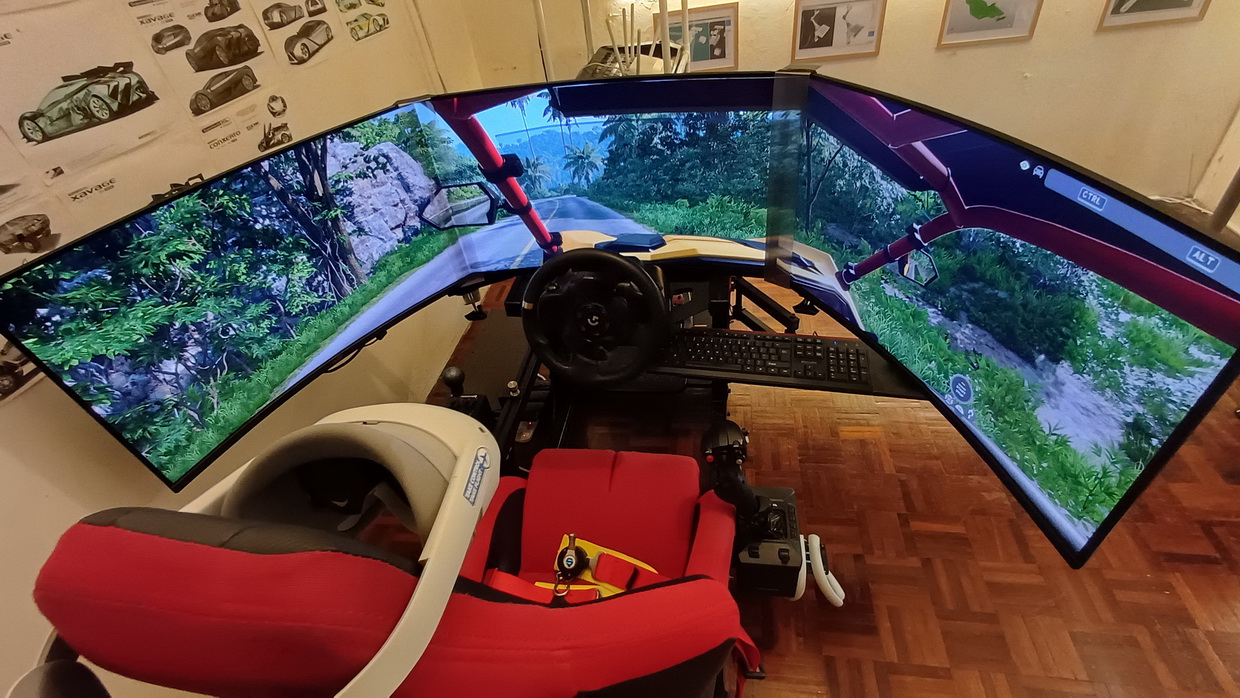
-
MONITOR
Since i'm using VR headset a gaming spec monitor is not a necessity unless you still doing flat gaming at certain times. There's not much impact in performance switching between 2 display devices (Monitor + VR). The good news is if you own crappy low resolution monitor below 1920x1080 it can frees up more VRAM to VR application if flat screen application still runs in the background.
B. PC-VR ECO SYSTEM
This one we will talk about my PC-VR setup which explained how my VR headset connected to PC via wireless, WIFI router hardware needed and some software to get it running.
- SETTING UP WIRELESS CONNECTION BETWEEN VR HEADSET & PC.
First of all i wanted to say i prefer wireless connection than using cable because its easy for me to tune the streaming performance. Plus with my current hardware the streaming decoding from PC to VR via WIFI router are faster with minimal latency. All this made possible through the use of "VIRTUAL DESKTOP" VR streamer app. Virtual Desktop is an app for your VR headset. It connects your headset to your computer over your home Wi-Fi. This means you do not need any cables to link them together.
* Below are the picture of schematic how the i wirelessly connect my VR headset to PC through router using "VIRTUAL DESKTOP: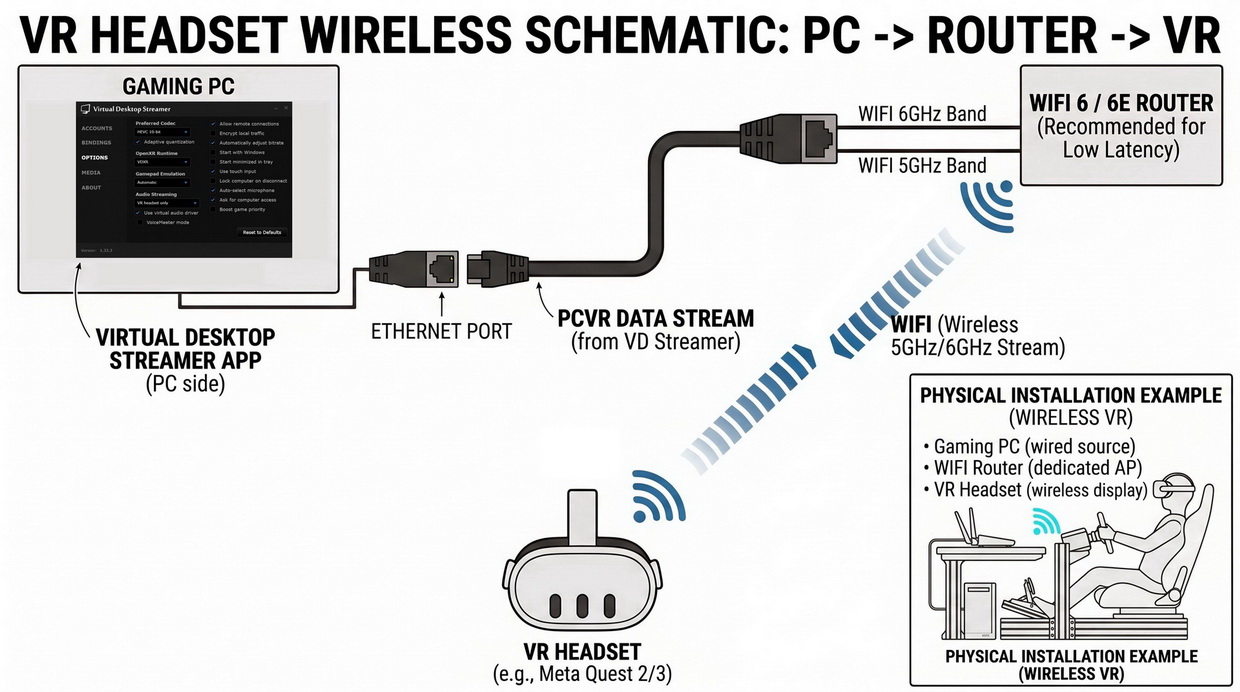
HOW TO SETUP VIRTUAL DESKTOP?
Setting up Virtual Desktop for PC VR involves installing the software on both your VR headset and your PC, then connecting them over your local network.
Hardware Prerequisites:- Ethernet Connection: Your PC should be connected directly to your Wi-Fi router via an Ethernet cable (gigabit recommended).
- 5 GHz or 6 GHz Wi-Fi: Ensure your VR headset is connected to the 5 GHz (or Wi-Fi 6 / 6E / 7) band of your router, ideally in the same room.
- PC VR Platform: Install Steam on your PC.
Setup Instructions:STEP 1. Buy and install Virtual Desktop on your headset:
* Must be purchased from the headset store, not on Steam site.
Put on your VR headset (Meta Quest, Pico, Vive, etc.) and purchase/download the Virtual Desktop app directly from your headset's built-in store.STEP 2. Download and install the PC Streamer App:
On your computer, go to the official website (vrdesktop.net) and download the free Virtual Desktop Streamer for Windows or macOS. Run the installer and open the app.STEP 3. Enter your Headset Username into the Streamer App:
In the PC Streamer app under Accounts, enter your exact headset account username (e.g., your Meta/Oculus username). Click Save. This allows your headset to find your computer automatically.STEP 4. Connect from inside your VR headset:
Put on your headset and open Virtual Desktop. Under the Computers tab, select your PC and click Connect. You will now see your Windows desktop inside VR.STEP 5. Launch your PC VR games:
Press the menu button on your left VR controller to open the Virtual Desktop overlay. Go to the Games tab and select any installed game (or choose Launch SteamVR). Always launch games from this tab for optimal compatibility.
*Quick VR Optimization Tips- Launch via the Games Tab: Avoid launching VR games directly from your desktop monitor inside VR; launching from the Virtual Desktop Games tab ensures proper OpenXR/SteamVR hooks and controller mappings are loaded.
- Adjust Bitrate: If you experience stuttering, open the in-headset Virtual Desktop Streaming settings and lower the VR Bitrate or change the video codec (e.g., AV1 for newer GPUs/headsets, or HEVC/H.264+).
- Performance Overlay: Toggle the Performance Overlay option in the Streaming tab to monitor network latency, frame drops, and encoding delays in real time.
-
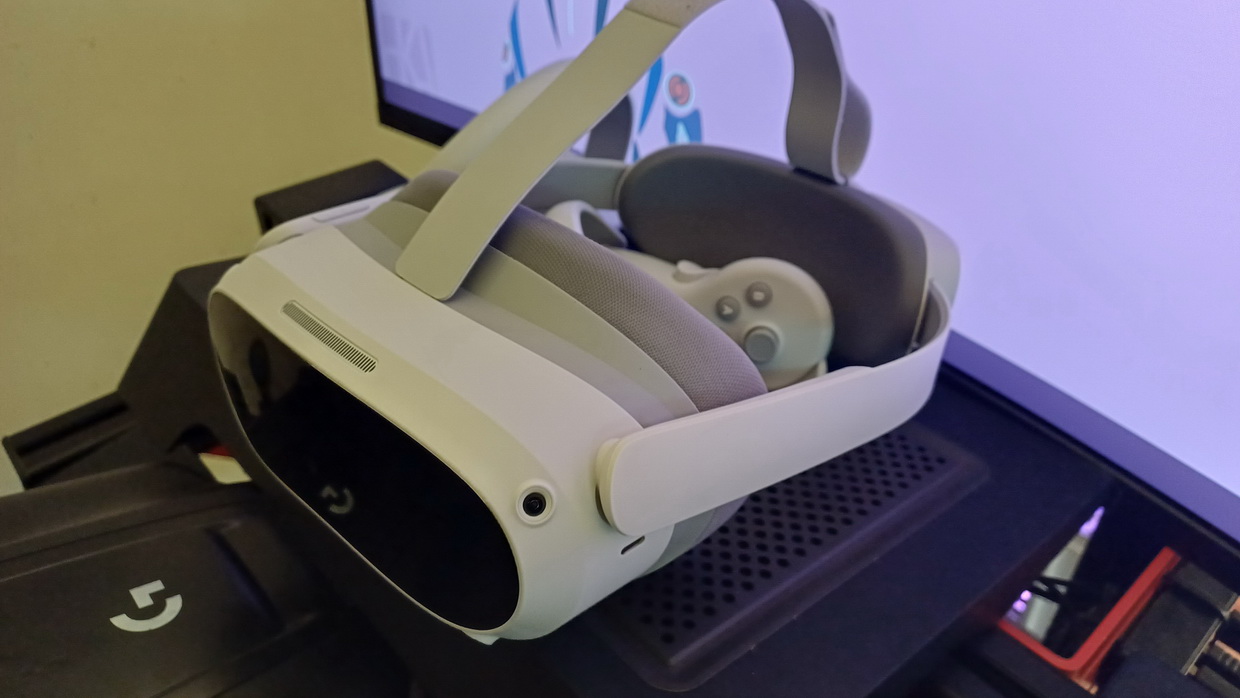
VR HEADSET
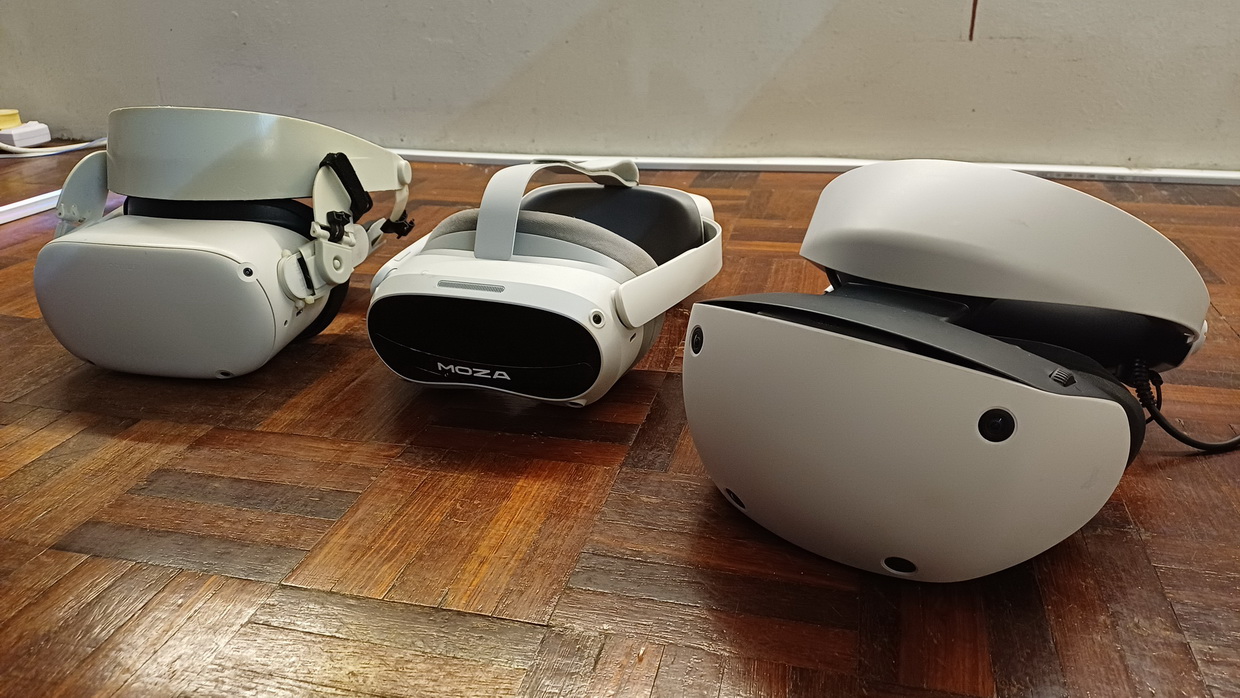
Choosing a VR headset is mostly a personal subjective. Depends what's your goal at. But one thing i learn after owning a few VR headset and research i found out: not all headset are perfect especially with current year 2026. *Note: At the time of writing this article consumer VR technology is still in infancy and for niche market especially if you're into PC-VR. For example if you buy expensive high resolution VR headset like 4K you need a good expensive PC system to process the graphic in the headset which means need to spend more money to upgrade your PC, going lower than native headset resolution is going to make the visual worse...even my RTX5080 almost died try to render 4K in VR. Some VR headset have balance of both moderate PC-VR requirement and good lens optics but need to spend extra money for comfort strap/face cover and have to live up with 'bloat ware' build-in. Others you can go cheap but again will have missing feature that might struggle to connect to PC. Unfortunately this is true in 2026, even if you have the money you won't find VR headset that have perfect balance of hi-res display, moderate PC requirement, out of box comfort, connectivity and user experience at the same time. For example my last VR headset purchase was PSVR2 headset because i heard all those rave of great things when run on PC-VR setup but after weeks of setup and tuning all i got was crappy resolution less than PICO 4...or felt like it going back to QUEST 2 visual, plus its not so comfortable over the head as i tilt my head upwards and wonky Bluetooth controller connection. I tried Quest 3 during shop demo but PICO 4 wins me for comfort, weight balance and great binocular overlap + budget price....it boots fast too into PC-VR when compare against QUEST 3 headset
So the best way to find which headset is to make sure it has these feature that exist in 2026 (within realistic budget) so you won't get left behind:
+ 2160×2160 pixels per eye. Yes in 2026 you can find one at cheap price (PICO 4 or PICO 4 ULTRA).
+ Minimum 90hz refresh rate, 120hz good too but doesn't mean a 'smooth' 120fps...still need GPU power for extra frame rendering.
+ Pan-cake lens (im serious!) so you don't have to constantly adjust your view on sweet spot. That sucks on my Q2 and PSVR2.
+ WIFI 6/6E/7 connectivity, make sure you have proper performance WIFI router to go with it.
What's my recommendation?:
If you're running a gpu between RTX3060Ti to RTX5080 but in a budget for VR headset then:
> PICO 4 (High resolution + cheap + comfort + binocular overlap + fast boot)
> Used QUEST 3 (Lens Quality + Better streaming decoding AV1 + 120hz).
* These are my recomended VR headset for quality + performance VR headset factoring affordable price at current time of writing. (August 2026)
-
WIFI ROUTER
Your router determines how high you can push your VR Bitrate. Regardless of your router type, your PC must be connected to the router via a wired gigabit Ethernet cable.- WiFi 5 (AC): You are generally limited to lower bandwidths. Keep your bitrate between 80 Mbps and 100 Mbps for stability.....just avoid using WIFI 5 router for VR
- WiFi 6 / 6E (AX): You have massive bandwidth available. You can push HEVC/AV1 to their maximum of 200 Mbps, or crank H.264+ up to 400-500 Mbps if the network isn't congested.
What's my recommendation?:
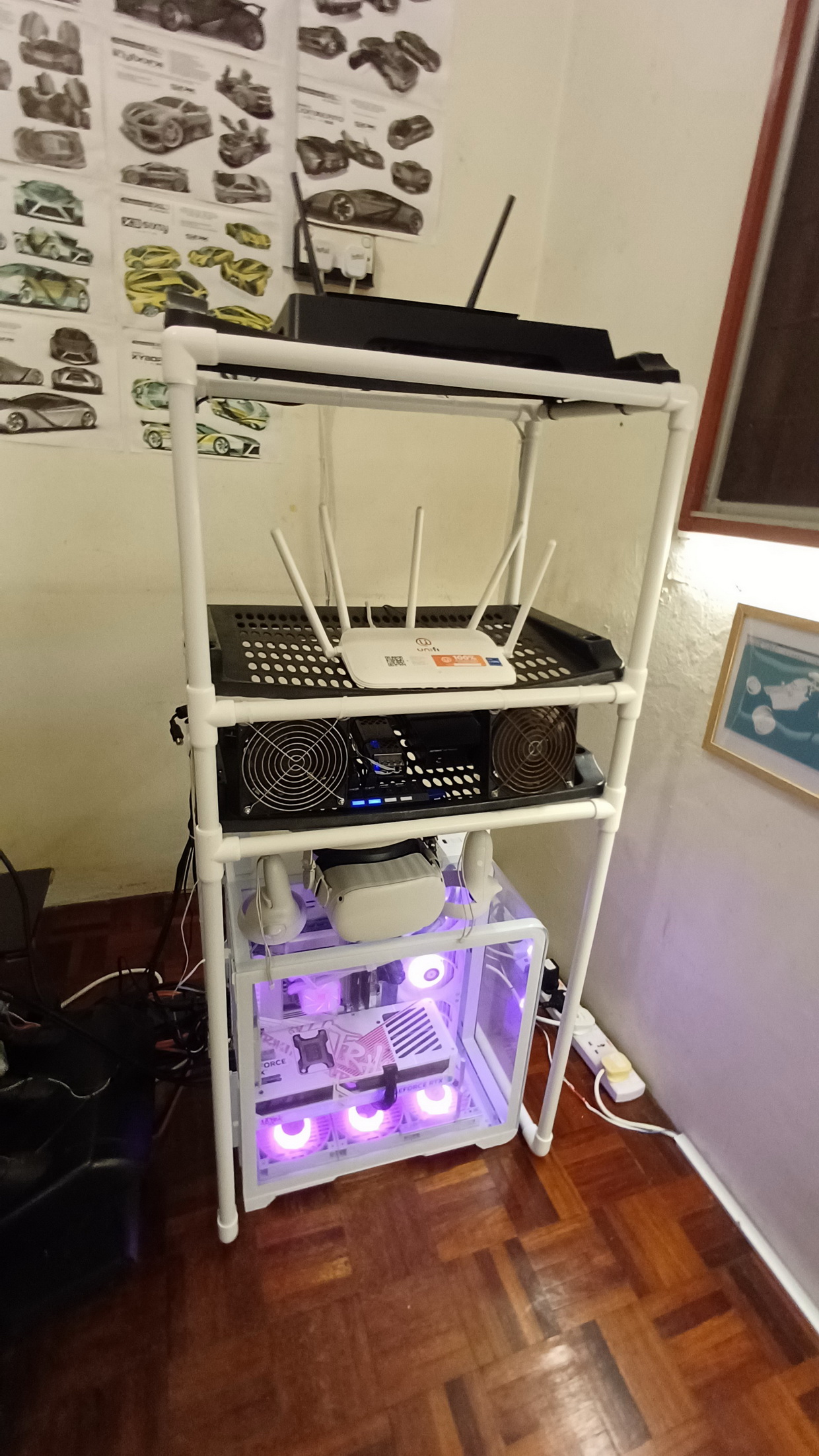
Anything that is not cheap, start with ASUS 'gaming rated' router. Currently i use ASUS RT-AX56U (WIFI 6), 5 years later still going strong.
I tried cheap TP-Link and it was a disaster in latency..if that happens you can see those infamous black colored border stretching out at the edge of your cone of view if you move your head left, right, up and down. For me ASUS gaming router saves the day.
*Take note new latest VR headset utilized WIFI 6E and WIFI 7.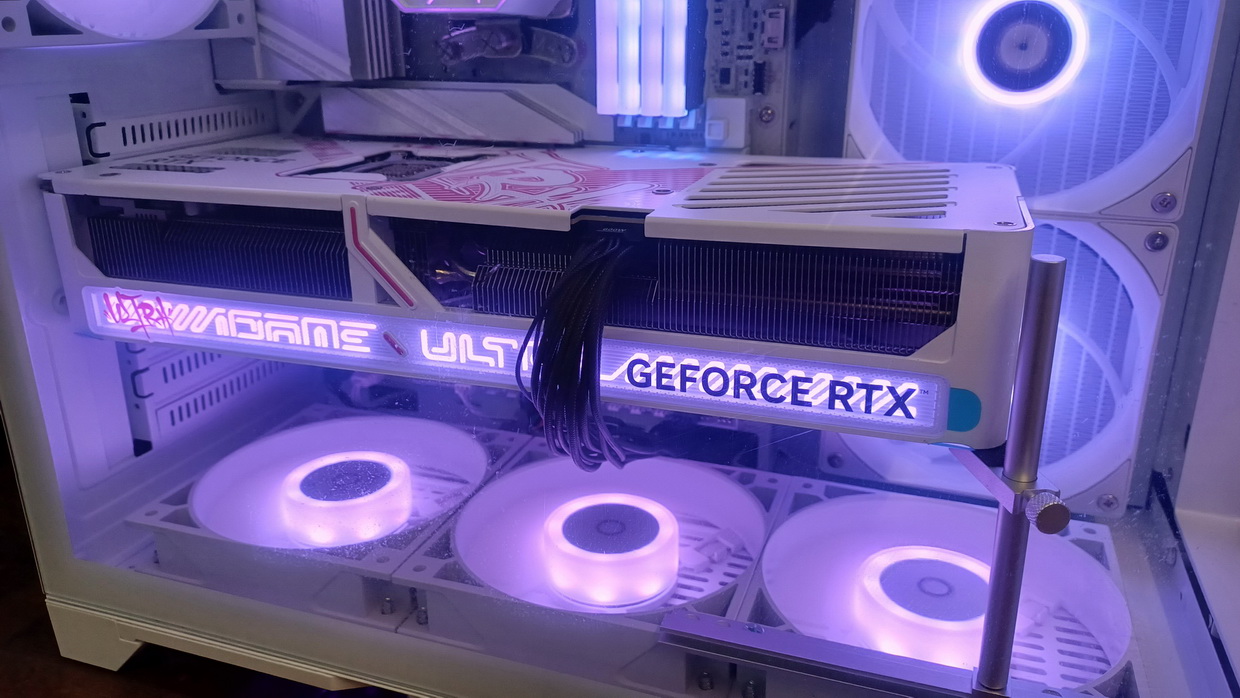
-
DESKTOP PC/LAPTOP
Again building the right PC for VR is a subjective matter because PC build can comes with different hardware grade and configuration which output different result. For now i can only explained my experience over the years using various PC with VR starting with year 2021 system to present day 2026. From the explained details below you can estimate "average" out come you might expect when running VR headset with these type of system.
Before i start the discussion on each PC system list here are the 'constant things' that i used for all the system:
+ Wireless connection from VR headset to PC still using ASUS RT-AX56U WIFI 6 router with "Virtual Desktop" streamer app.
+ Running sim game: ASSETTO CORSA, Assetto Corsa Competizione, EUROTRUCK SIMULATOR 2, X-PLANE 11/12 and MICROSOFT FLIGHT SIMULATOR 2020/2024.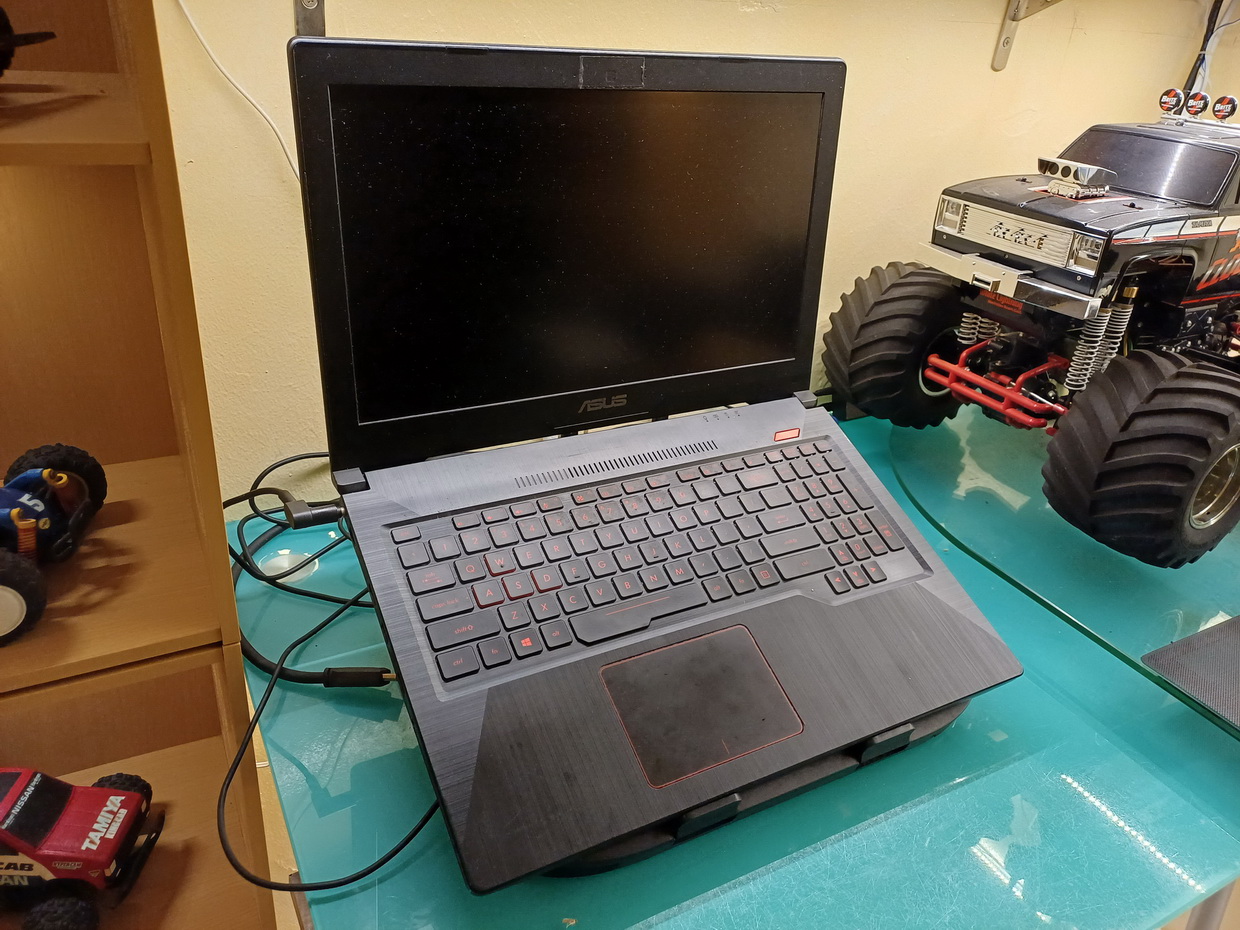
(DEC 2021) > My 1st PC-VR system.
This is "ASUS TUF Gaming FX503VD" laptop bought somewhere around year 2017 intended for my everyday and work laptop which helps build all my 3D designs and projects. Originally its has 8GB of physical RAM and 500GB of traditional SATA harddisk. Only on 2021 when i try to use VR on this laptop it started having choked/lag performance having average 25FPS of slide shows which i ended up have to upgrade to 16GB DDR4 3200Mhz RAM and SAMSUNG SSD 970 EVO PLUS 500GB NVME storage drive which helps speed up the memory swap and finally get me above usable 60~90FPS with alll minimum graphics setup on game/sim.
Specification:
+ INTEL CORE i5-7300HQ
+ GTX1050 4GB
+ 16GB DDR4 3200Mhz
+ SAMSUNG SSD 970 EVO PLUS 500GB
My VR video on this system:
Video: Assetto Corsa VR - 2023 race NISSAN SKYLINE GT-R R34 battle | Nordschleife | Oculus/Meta Quest 2
Method to improve VR on this laptop + performance results:
> Terminate all Windows 10 background services: including anti-virus to bare bone Windows 10 process.
> Nvidia display panel: All minimum setup/slider.
> All games/simulator run on lower setting especially texture requirement to minimum.
> Heavily dependent on OpenXR Toolkit + VR Performance Toolkit + Use max foveated rendering in VR.
> Virtual Desktop settings: POTATO/LOW graphics + SSW + HVEC + 200MBPS.
> STEAMVR per-eye resolutions: Below VR headset native resolution.
> VR game/sim performance: Assetto Corsa:= 70~80FPS (Jittering/Not smooth).
> VR game/sim performance: Euro Truck Simulator 2 = 70~80FPS (Jittering/Not smooth).
> VR game/sim performance: X-PLANE 11= 35FPS (Jitters).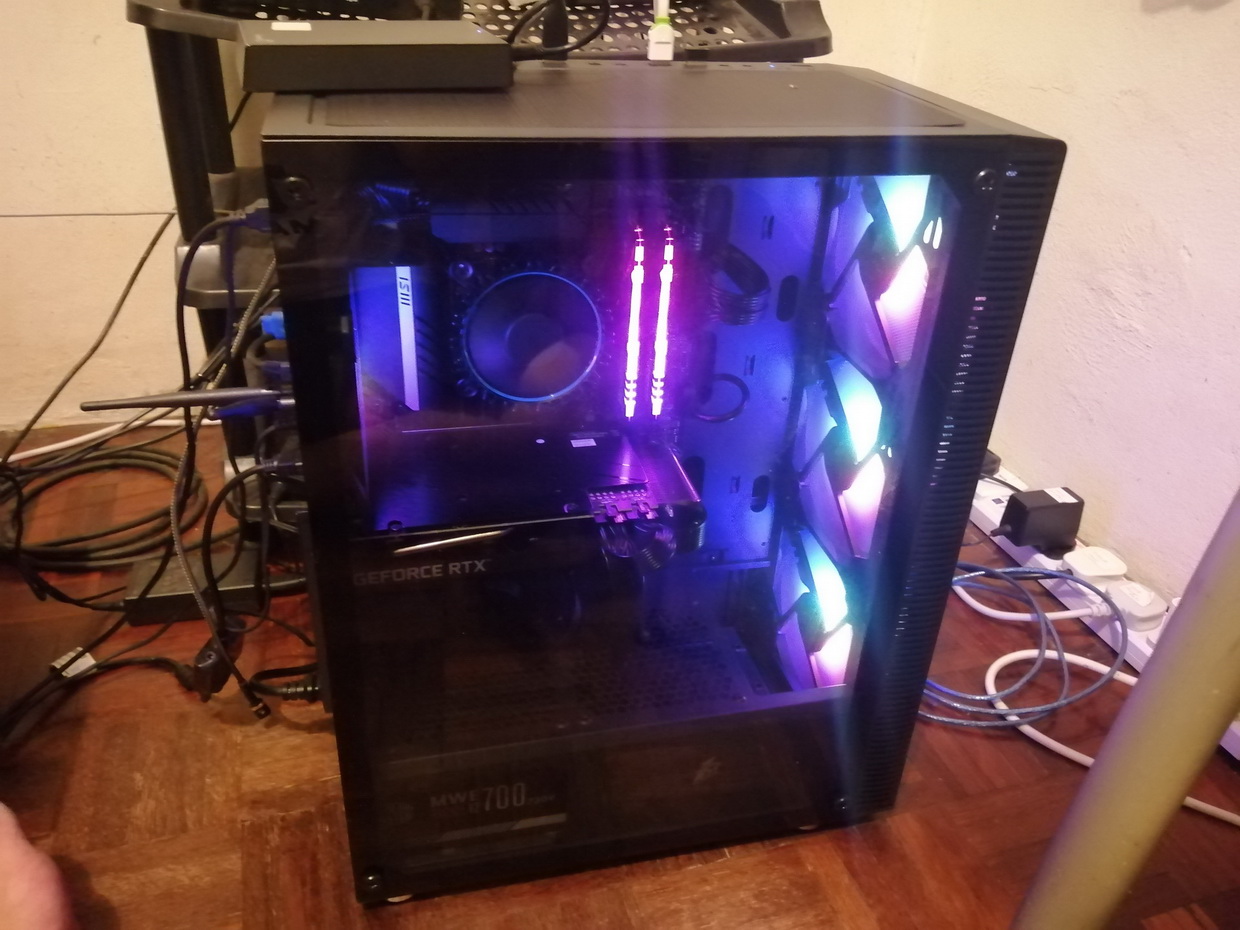
(APR 2023) > My 2nd desktop PC build for PC-VR.
This is my 1st custom build PC desktop size after more than 10 years on notebook/laptop. The last desktop size PC i used was somewhere in year 2002 before i decided to scale down my computing size. On PC-VR it performed extremely well far from what my old laptop can do. Completely open my world world into VIRTUAL REALITY scene. I can say if you're living in year 2026 then this is the bare minimum PC spec you should have for PC-VR provided you running VR supported game/sim between 2012~2018. However if you wanted VR headset connected via USB than wireless then i don't recommend it on this system....its lag on cable.
Specification:
+ INTEL CORE i5-12400F 2.5Ghz
+ ASUS DUAL RTX3060Ti OC 8GB
+ 32GB DDR4 3200Mhz
+ SAMSUNG SSD 980 500GB
+ 700W COOLER MASTER Bronze power supply.
My VR video on this system:
Video: Assetto Corsa VR - The Great Rain Chase | RTX3060Ti | Oculus/Meta Quest 2
Method to improve VR on this PC + performance results:
> Terminate all Windows 11 unecessary background services.
> Nvidia display panel: All medium setup/slider.
> Heavily dependent on OpenXR Toolkit + VR Performance Toolkit + Use foveated rendering in VR.
> Virtual Desktop settings: HIGH graphics + SSW + H.264+ + 500MBPS
> STEAMVR per-eye resolutions: VR headset native resolution.
> VR game/sim performance: Assetto Corsa:= 90~120FPS (Random Jitters).
> VR game/sim performance: Euro Truck Simulator 2 = 90~120FPS (Random Jitters)
> VR game/sim performance: MS Flight Simulator 2020 = 70~80FPS (Jitters).
> VR game/sim performance: X-PLANE 12 = 60~70FPS (Jitters).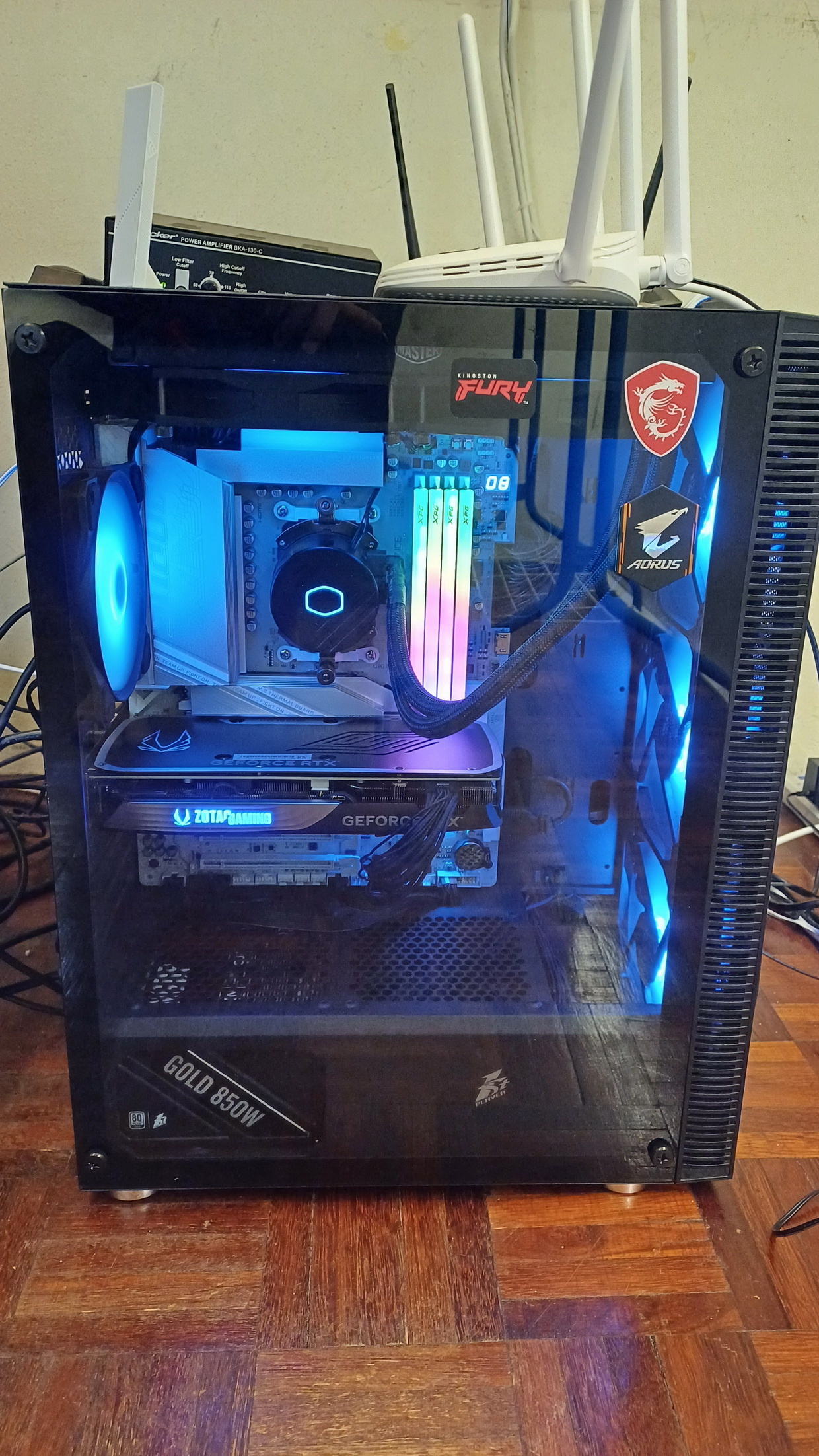
(OCT 2024) > This is my 3rd build via upgrades.
This build was a components upgrade over 2nd PC, only the motherboards and PC casing remains the same from previous build, Offer slightly better VR visual and extra FPS. Thanks to 12GB of VRAM from GPU it can now render higher resolution and texture quality on modern games/sim like MICROSOFT FLIGHT SIMULATOR 2020 (MS2020) making the scene looks realistic and immersive experience. Racing sim become more immersive because the lantency is now lower and felt 'I'm one with the car'. However the latest modern game released like MSFS2024 which is upgrade over MS2020 took a bit chunk of gpu causing slight jittering due to expensive use of ingame textures.
Specification:
+ INTEL CORE i9-12900KF
+ ZOTAC RTX4070 SUPER 12GDDR6X
+ 64GB DDR4 3200Mhz KINGSTON FURY
+ SAMSUNG 990 PRO 1TB NVME M.2 SSD
+ 850W 1st PLAYER NGDP GOLD power supply.
My VR video on this system:
Video: Microsoft Flight Simulator 2024 VR - Limbang to Lawas, Malaysia | Diamond DA62 | Oculus/Meta Quest 2
Method to improve VR on this PC + performance results:
> Terminate all Windows 11 unecessary background services.
> Nvidia display panel: All high setup/slider.
> Use Nvidia frame generation = ENABLED
> Nvidia DLSS = BALANCED.
> Heavily dependent on OpenXR Toolkit + VR Performance Toolkit + Use foveated rendering in VR.
> Virtual Desktop settings: ULTRA graphics + SSW + HVEC-10bit + 200MBPS
> STEAMVR per-eye resolutions: VR headset native resolution.
> VR game/sim performance: Assetto Corsa:= 90~120FPS (Good).
> VR game/sim performance: Euro Truck Simulator 2 = 90~120FPS (Good)
> VR game/sim performance: MS Flight Simulator 2024 = 70~80FPS (Jitters).
> VR game/sim performance: X-PLANE 12 = 60~70FPS (Jitters).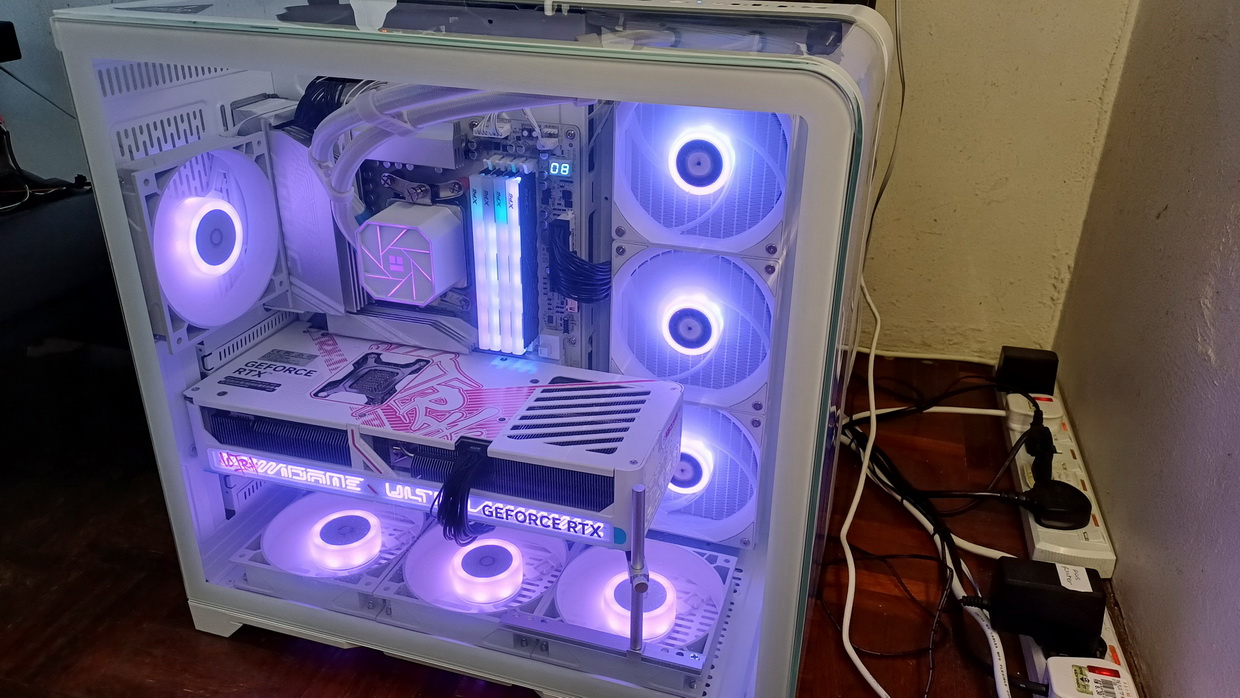
(APR 2025) > This is my 4th PC-VR system.
Completely new build from scratch, only the power supply was brought over from previous PC. Its was my massive splurge, top notch and no turning back ambition to get max performance for my VR experience. Took a toll on my wallet best but in return gave me an amazing smooth VR adventures till this day. Zero regrets even if i have to survive on a cup of noodles, lol!. Ironically GPU price hike and "RAM-pocalypse" happened few month's later...i was lucky to make early move to purchase a new system before greedy tech Corpo took a chunk off my savings....i make sure not to over-clocked my hardware for longevity reason $$$$. On this new system when running all of my favorite VR simulator title all i can say "HOLY MOLY!!!"...enough said its 'God Tier' performance. Full max graphics slider all the way up to 'ULTRA' on game/sim the FPS maintain smooth with minor jitter or totally smooth!!...that is without enable NVIDIA frame gen or SSW (Synchronous Spacewarp = Frame-rate smoothing for VR). To check for jitters or crappy framerate even if it display above 90~120 usually in VR will look on my side object like the movement of light poles one the road or object on the runway see if it "stepping" frame to frame as my vehicle forwards like "stop motion movie" kinda thing. If it shows "stop motion" like movement that's jittering which happens on my previous system: RTX4070 Super and RTX3060Ti. But on my RTX5080 the object movement was smooth sliding and doesn't cast those trail shadowy frame by the object like light pole or stop sign beside the road. Even when i'm flying close to the terrain watching the building passes by doesn't jitter too. PERFECT!!! Plus the new motherboard can handle hefty amount of USB plugin into the port without glitching 'disconnection' to input devices that happened to my previous PC indicating unable to supply enough 5V currrent to my steering, pedal, flight HOTAS, SIMHUB hardwares and lots of connected external devices. Since my its was build until present day in 2026 totally encounter zero problem in both technical both in game/sim, software setup and even runs well on glitchy release Nvidia Driver in 2026.....smooth sailing!!
Specification:
+ AMD Ryzen 7 9800X3D
+ RTX5080 Ultra W OC 16GB GDDR7
+ 64GB (2x 32GB) 6400Mhz/CL32 G.SKILL RIPJAWS S5
+ X870 AORUS ELITE WIFI 7 ICE motherboard
+ 850W 1st PLAYER NGDP GOLD power supply.
My VR video on this system:
Video: Starting up DHC6 Twin Otter in MS2024 in VR - RTX5080 | Quest 2 | AMD Ryzen 7 9800X3D
Video: Microsoft Flight Simulator 2024 VR – Limbang to Mulu, Sarawak airport | PICO 4 | Triple Screen
Method to improve VR on this PC + performance results:
> Terminate all Windows 11 unecessary background services.
> Nvidia display panel: All 'MAX' setup/slider.
> Use Nvidia frame generation = DISABLED
> Nvidia DLSS = QUALITY
> No need to use any VR performance enhacement tool from external party.
> Virtual Desktop settings: "GODLIKE" graphics + HVEC-10bit + 200MBPS
> STEAMVR per-eye resolutions: VR headset native resolution.
> VR game/sim performance: Assetto Corsa:= 90~120FPS (Smooth).
> VR game/sim performance: Euro Truck Simulator 2 = 90~120FPS (Smooth)
> VR game/sim performance: MS Flight Simulator 2024 = 60~80FPS (Smooth).
> VR game/sim performance: X-PLANE 12 = 60~70FPS (Smooth).
Experiences:
For the first time in my life i never complained anything and struggle to tune to get smooth game/sim experience. Perfect performance, quality to price ratio. Turn on the game/sim for the first time, turn all graphic slider to high or ultra and go run VR without tears of disappointment and mental agony looking slide show like performance. Always high FPS, less and almost no jitters on all my favorite PC-VR sim/game titles, doesn't need to turn on those NVIDIA's frame generation features (yukkk!!!..can see those shadowy teppy thing between frames)...sometimes its called SSW which stands for Synchronous Spacewarp. But i do still use DLSS at Quality setting. Always full distance LOD or any object details loadings. In STEAM VR i set my resolution per-eye to match with my VR native headset resolution for example on PICO is 2160×2160 pixels per eye. I still able to read those dashboards gauge meter super clear from seating position in VR both in aircraft and car/truck cockpit. If Foveated Rendering available in sim i sometimes enable it but sometime i don't need too unles the games is super 'heavy'.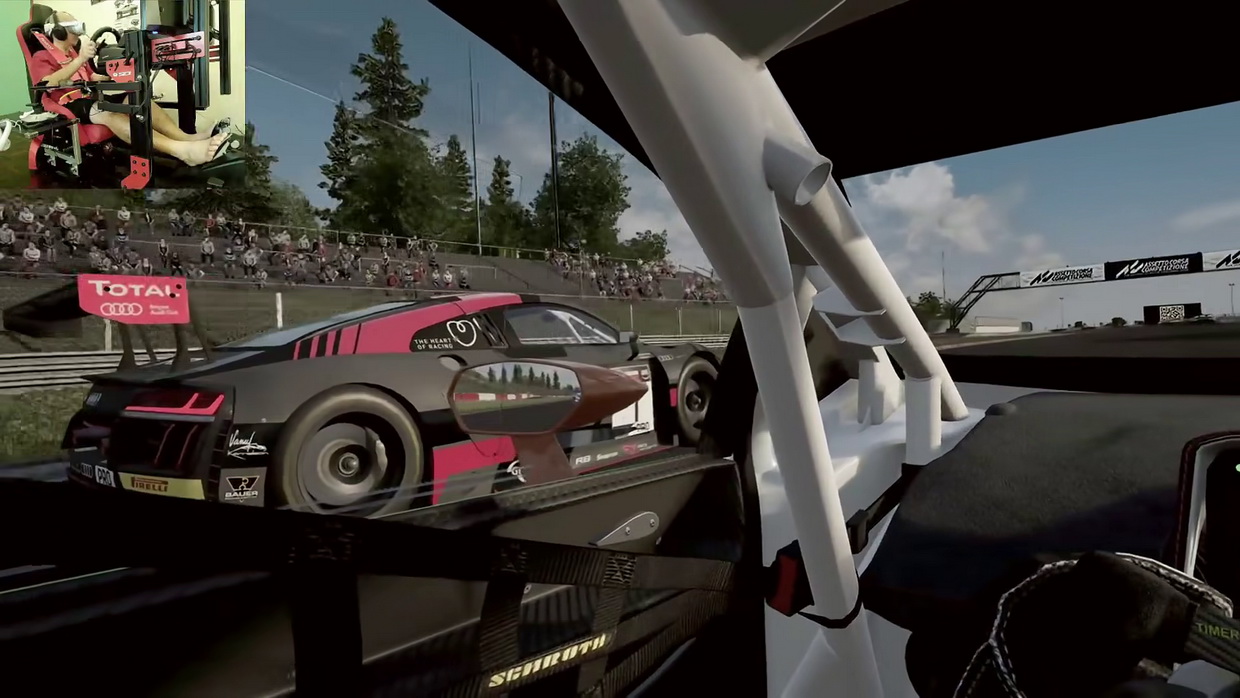
-
SOFTWARE + PERFORMANCE ENHANCEMENT
Here are list of "must have" software that could help up boost your performance in VR. I used them a lot when my PC system was 'under performed'. However after i purchase a new PC with AMD Ryzen 7 9800X3D +RTX5080 i no longer neeed those software.1. OpenXR Toolkit
- What it does: This is the gold standard for games running on the OpenXR API (such as Microsoft Flight Simulator, DCS World, and iRacing). It injects features directly into the game, including Upscaling (AMD FSR or NVIDIA NIS) and Fixed Foveated Rendering (FFR), which saves immense GPU power by rendering the edges of your vision at a lower resolution while keeping the center sharp.
- Best for: Simulators and modern OpenXR games.
- Link: OpenXR Toolkit Official Website
2. VR Performance Toolkit (vrperfkit)- What it does: Created by developer fholger, this is similar to the OpenXR Toolkit but is designed specifically for older DirectX 11 / SteamVR (OpenVR) games. It allows you to inject FSR/NIS upscaling and Foveated Rendering into games by simply dropping a few files next to the game's executable.
- Best for: Older SteamVR titles like Fallout 4 VR or Assetto Corsa Competizione.
- Link: VR Performance Toolkit GitHub (Note: Originally called OpenOVR)
4. fpsVR- What it does: While this app does not generate frames on its own, it is the ultimate optimization utility. It attaches a tiny, customizable performance monitor to your virtual wrist. It shows you exact CPU and GPU frame timings, temperatures, and bottlenecks in real-time, allowing you to figure out exactly which in-game settings are killing your FPS.
- Best for: Pinpointing hardware bottlenecks and tweaking settings.
- Link: fpsVR on Steam
Virtual Reality FAQ:
> VR Motion Sickness?
If you're new and first time into VR then this will be your biggest hurdle. VR motion sickness is when you felt like woozy, nauseating and that gut wrenching feeling like you wanna puke out that is because your body does not register that motion you see in the headset. Eyes say: We're moving" but the physical body says "Are you sure? but we're not moving at all." confused. Because the lower body doesn't register the logic of what the eyes are looking at. Same nauseating feeling when you're first time riding on a boat above wavy ocean = puke. I used to be in that state when first tim on VR. Takes days and few weeks to get use to it and later it feel like normal day..i gain VR immunity!. The tricks is; when your look around inside VR headset concentrate looking forward in narrow view or just concentrate looking on a single object. For example concentrate looking on the road while driving on VR than having your eyes wondering around. It helps you to narrow your eye's cone of view until you eye's get used to it. Take it step by step few minutes a day in VR then increase your play time gradually and eyes movement freely. Most people will give up on first day or two thinking their body born not suited for VR but that is wrong, you're body still in learning mode. The good news is i bought few cheap bargain VR headset for less money thanks to those who give up on it...hehehehehe!! Here a tips i wrote long time ago about how to counter VR motion sickness (Click).
> Can people have Monocular Vision use VR?
Yes, absolutely can use VR headset. People with monocular vision (vision in only one eye) can use and fully enjoy virtual reality. Many people mistakenly believe that VR only works if you have two eyes because headsets use stereoscopic displays (showing a slightly different image to each eye). While this creates binocular depth, it is not the only way humans see in 3D.
> Can 'Presbyopia' (short sighter) user use VR?
Yes!...some user who have 'presbyopia' (loss of your eyes' ability to focus on nearby objects due to old age) they still can use VR headset...that also include i myself which also have problem reading near object like reading text or looking at my wrist watch. Fortunately i don't have to wear reading glasses inside VR headset both on Fersnel and Pan Cake lens. No problem.....we'll i can't gurantee how others eyes vision condition but mostly you could still VR it.
Medias & Gallery
> For more VR video you can visit at my Youtube channel by clicking here: 3DXL Channel.
> For gallery features visual VR rig build you can click here: Gallery -Virtual reality simulator cockpit project
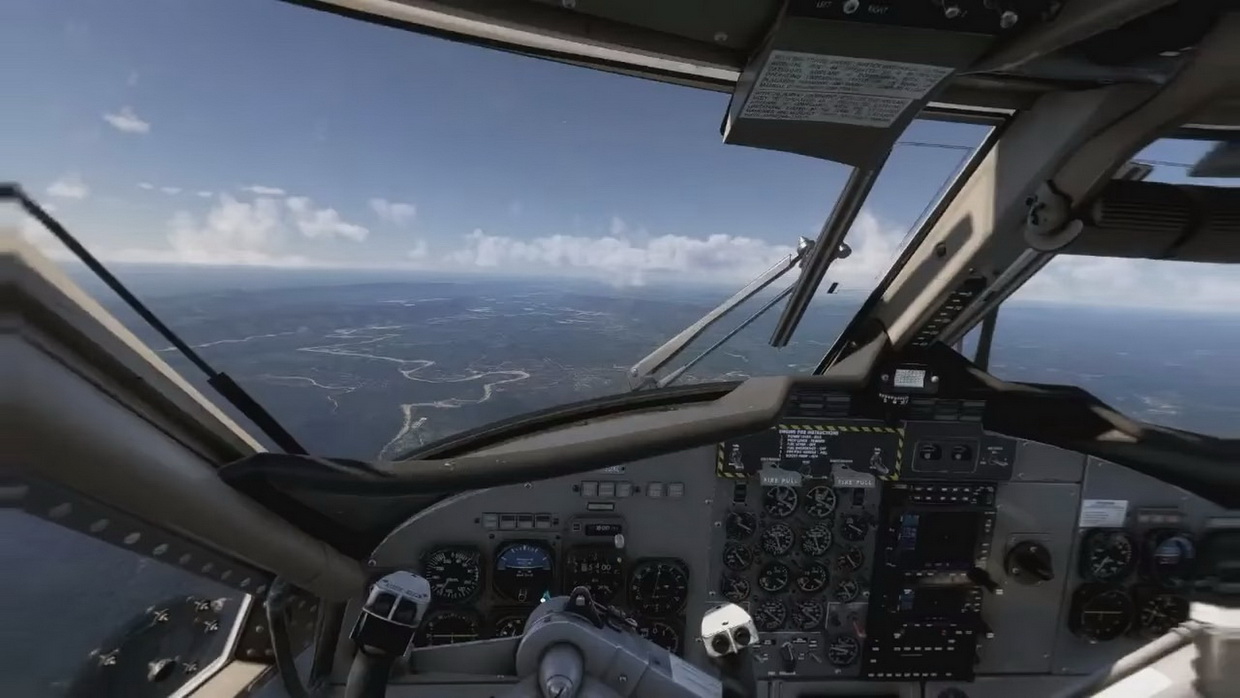
My overall experience in VR
From day one in 2021 until present day in 2026, i've never skipped a day on VR. There are so much things to discover and roam about in 'Virtual Word', for me based on my simulator interest its no longer a game..it as about exploration, learning/education and discovery outside human boundary. Everyday after back from work or wake up early on weekends or holidays i would hope into my sim rig/cockpit, turn on my PC and headset ready to go for exciting adventure. Some VR experiences prove to be helpful and changed my life style and at some moment it does saved my life. Here are list of what VR experience have to offer through my favorite simulator:
+ ASSETTO CORSA Series
Is a VR supported racing game exposed me to real life car handling. An excitement to experience driving and racing through famous track, compete with opponents and learn how actual performance car handle. Everyday i had a blast of fun and use lots of physical muscle reflexes on the pedal, steering and gear shift how to control the car in corners, various terrain condition and expect the unexpected accident. Takes a lot of 'Ninja' speed reflexes to handle performance car. Fortunately something happened in real world to me: One day i was driving my car down the hill at moderate normal speed under 70km/h after the rain but my car hit on slippery surface almost took a spin/drift. Quickly i regained control by quickly do fast steering twitch (left-right) force the front tire to 'bite' the road surface and at the same time down shift my manual gear (stick shift) to do "engine braking" and force the differential gear left and right wheel to slow down in sync together to avoid slip/spinning in its own axis....and it worked!! I was saved!!... thanks to VR racing skills i gained ove years!. Differential gear slipping is consider no.1 cause of accident when the car can spun around because both left and right rorate differently. I'm glad i'm a VR guy. Since then in real life i start drive my car much slower than before going under 80km/h and always brake before corner along with down shift doing "engine braking" for more safety and confident driving. If i wanna go fast i'll just go VR at Nurburgring Nordschleife race track.
My vIdeo on AC:
Video: Assetto Corsa Competizione VR settings - RTX5080 | PICO 4 | AMD Ryzen 7 9800X3D
+ EURO TRUCK SIMULATOR (ETS 2)
Got to enjoy travel and visiting interesting places around Europe and the Middle East (Pro-Mods). Sometimes i may spend between 2 to 10 hours per-session a day driving trucks navigation through city and country road exploring interesting places, culture and law on the road. Very ASMR (Autonomous Sensory Meridian Response) feeling if you enjoy road trips. Since i drive trucks i learned a lot about handling, blind spots and stuff i didn't know that is actually dangerous for normal road user to get near it. Those truck driver sleeping behind the wheel is no joke, i accidentally and always sleeping behind the steering wheel without warning in VR after few hours down the road almost cause an accident....so this is the common stuff i heard about in the news in real world about lots of truck accident. From now on i never drive or cycle nearby truckers....you never know shit gonna happens. If i got board after work going trucking in VR is go to activities, sometimes when i park beside the gas/fuel station i would take a nap in VR while looking and listening rain drops hitting the truck cabin in 'virtual' rainy weather. ....damn i woke up next morning still strapped on VR headset!.
My video on ETS 2:
Video: ETS2 VR - Deliver Hot Chemicals from Lisbon, Portugal to Kavala, Greece | Euro Truck 2 | Pico 4
+ MICROSOFT FLIGHT SIMULATOR 2020/2024 and X-PLANE 11/12
Now this is where majority of the time i spent 95% of my VR activity since 2021 to this day. I started with X-PLANE then transition to MS Flight Simulator 2020 the move on to MS Flight Simulator 2024. As you all know and what makes this website special is because of my love for aircraft and world exploration. From the day i was born i was expose to general aviation; from young agetheprogress to everything that you see in this websites: RC planes, FPV (drone tech) flight inside scaleplane cockpit to UAV system that exploredisctance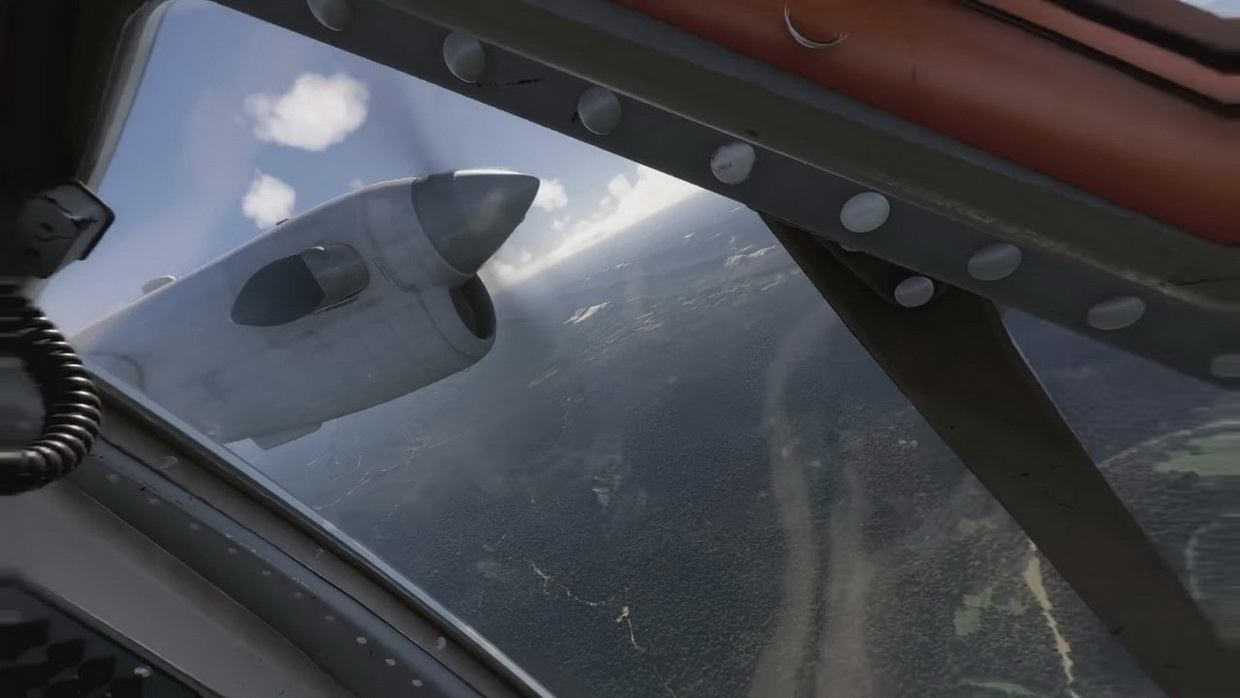 the whole places...this is my calling. My dream to pilot an actual plane is 'now' in VR!! With the advancement in simulator technology and PC hardware we get realistic world terrain rendering, lively weather & plane/ship traffic, 3D photogrammetry cities/places and so much more. Thanks to GPU graphics technology like RTX50 series (now i'm on RTX5080) and VR headset technology everything looks alive and real makes you feel 'Im in this world!". I am now able to feel, touch and fly inside the cockpit of the very plane that move us (me and my family) around rural and cities for years: the DHC-6 TWIN OTTER. I manage to flew that plane using the very same route we used to travel during my childhood and then flew pass my grandparents village and also other parts of the Borneo continent where i live through epic live weather. Since i'am a cloud surfer in FPV i will always be a cloud surfer in VR. Sometimes i did an epic marathon flight from my hometown in Borneo to fly to the west reaching American contient through Singapore, Peninsular Malaysia, Thailand then through Myanmar back valleys towards HIMALAYA mountain range reaching Uzbekistan. Then continue towards Europe continents, Iceland, Greenland, Canada, United States, Mexico all the way to the end of Argentina continent. Again reverse back toward US beautiful natinal park and valleys, British Columbia, Alaska, Russia, Japan, Korea, China, Taiwan, Philippines, Papua New Guinea, New Zealand, Australia, Indonesia then back to my hometown all through connected route that tooks me two years everyday on turbo prop plane! Then next marathon was from my home all the way to back country of China's legendary "The Great Silk Road" somewhere behind the HIMALAYA mountain range then crossing to north Russia, Finland, Sweden, Norway the straight to middle east: Saudi Arabia the South Africa then route back to Iran, Pakistan, India, Myanmar, Thailand, Peninsular Malaysia, Singapore and reach home sweet home! ...that's another
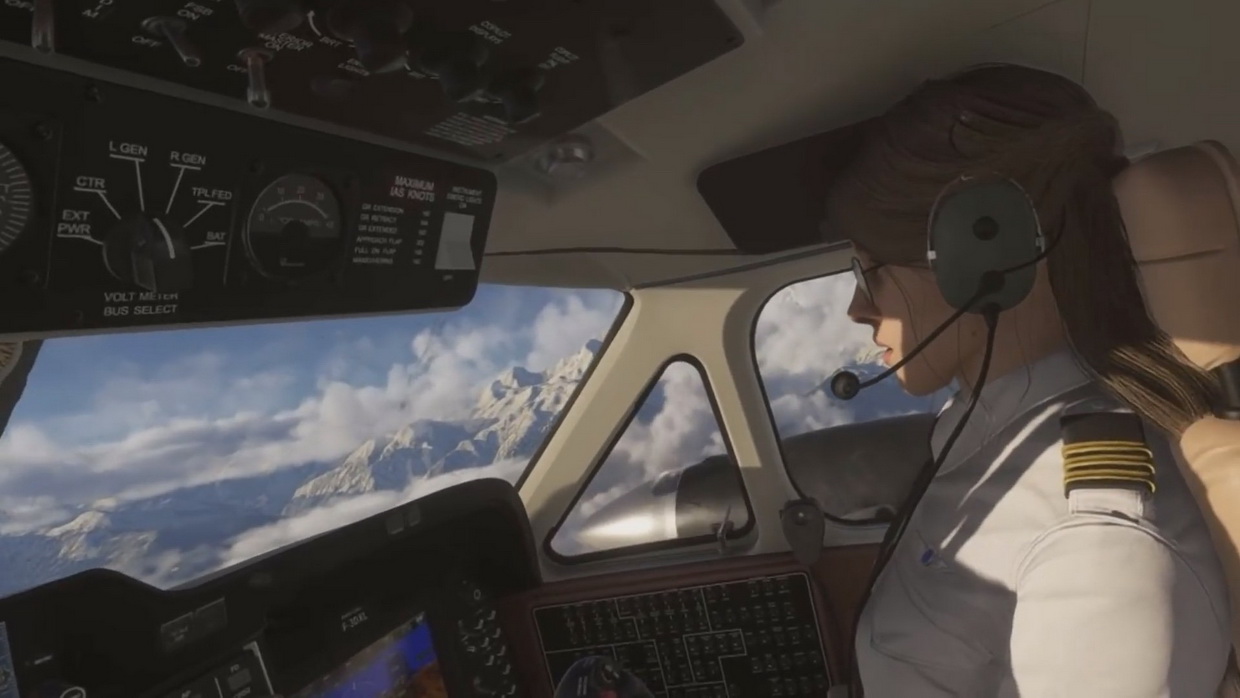 freaking two years again on turbo prop plane! Thanks to epic PC hardware spec i got to enjoy beautiful places far hidden from civilization: some mountain settlement around HIMALAYA and or zone between CHINA and Tajikistan..."how did this people able to live such remote places..yet beautiful!"...mountain people!! CHINA have lots of great place to discover. My second favorite place to fly over is Norway; very beautiful hidden towns and frosty island. Great for GA size plane to fly between river valleys and islands.....yeah, frosty windshield. At certain season along the mountain of Georgia toward Ukraine there will plumme of cotton clouds gather around great for cloud surfing. Greenland?.....nah!...to much IFR moments (Instrument Flight Rules)..those low fogs almost cost me fuel starvation. hahaha! New Zealand?...epic valleys, river and remote settlement...not much cities though but i encountered lots of rainbows compare to other places...weird. Indonesia?..i can't believe people still create settlement around active volcano..epic tropical view and low clouds! There are so much stories i would like to share about my discovery over 5 years of flying all around the globe in VR but all i can say VR experience is freaking awesome!..every day is a "Wow!" moment like i was there!..i can claim myself ive been there though. Ever since then i never cut corners when buying equipment for flight sim which why i splurge on proper flight controls like the MOZA AB6 and MTQ Quadrant. Since i flew up to 12 hours per-day the PICO 4 headset was a true winner in all day VR comfort, no more stiffy and aching neck unlike my previous VR headset. That's why for 5 years you don't see me with new RC toys and FPV projects published on my website....its goes to VR...muhahahaha! ...damn i sleep a lot inside plane cockpit.
My video on MSFS2024:
Video: Microsoft Flight Simulator 2024 VR – Mount Fuji view to RJNS airport, Japan | MOZA AB6 + MTQ
Video: MS Flight Simulator 2024 VR – Grozny, Russia to Sukhumi, Georgia | SU6 | PICO 4
Video: MS Flight Simulator 2024 VR – Sibu to Kuching, Sarawak - Haze Season | PICO 4 | Triple Screen
Summary: Was VR worth living for?
For me? Yes! Of course! It transformed my life and how i view the world. Makes me smile everyday too because i have travelled places and discover new things 'in there' hence i'm an adventurer on daily basis inside my very own simulator rig. It gave me the opportunity to become something i ever dream of: being there racing on race track, travel inside a truck visit places and become a pilot roaming great places that i always dream of all through VR immersion 360. I've felt lucky to be able to live in this era/moment where VR technology, advancement of realstic graphics processor and realtime world rendering came about at the right time where i am able to reach and enjoy it at the right price. I guess its truth to say that VR technology came for me by coincident, which completed my life cycle as 'that kind of' hobbyist. I would encourage people who have such similar ambition like me to try out VR and try every posibilities until it suits their interest then grow. From my point of view i no longer see VR as gaming, i see it as a portal to another world something that allow us like myself to go beyond impossible...for example i really wanted to visit New Zealand because it has beautiful mountain lanscape and green settlement and through MSFS2024, but i did it and it was awesome to experience the view flying between valleys as if "i was really there!". Between 2021 to present day in year 2026 that VR adventures was the only best thing ever happened in my life, whch is why i don't post much about my other activity because every hours i'm somewhere far far away in distance land flying above the clouds 'virtually''.
And just like that after decades of FPV flying/driving inside miniature model cockpit all over places, over the clouds, park, roads and roaming on my DIY UAV system discovering distance lands finaly came that very year in 2021 the 'VR GODS' echoing from heaven above with HIS majectic words says to me: "Hey you! Take this!".....out from the bright light comes the almighty feat of technology: the VR headset! .......so my of 'virtual' life journey began.
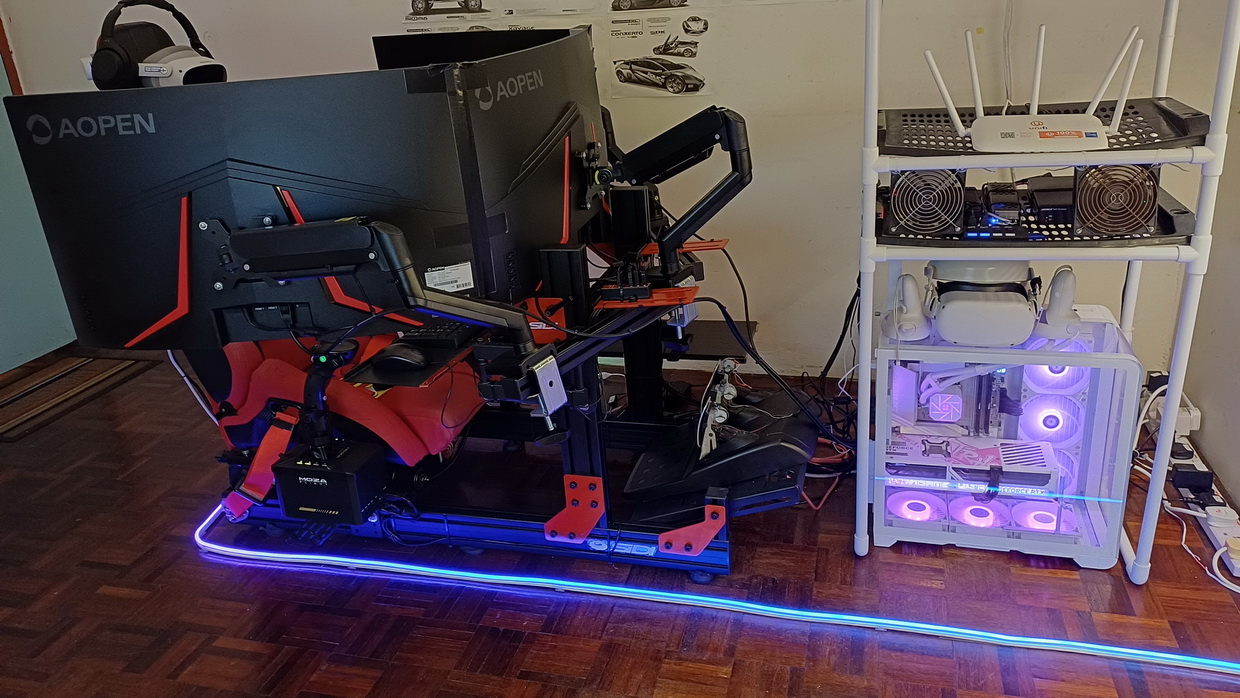
*Disclaimer: This article contain project setup, hardware/tech info and resources that is valid for year 2026 or relateable within that period. It will definately not be applicable or useable reference if you visit this page after 3, 5, or over 10 years later as technology, methods, sofware and other solution evolve over time. Also this page contains my experience, opinion and results about my own projects so do not take it as a full one off solution because it can be subjective and different when compare to external party's results/output. So just enjoy the article and use your own judgement when consume the published into in this page. Cheers. - David L.